Top 5 3D printer software for 2027 (four of them share one ancestor)
A slicer turns a 3D model into G-code: the moves a 3D printer makes, layer by layer, and how much plastic it pushes out on each one. Every printer needs one, and the best slicers in 2027 are free.
We make CadFlow, a CAD tool that slices printed parts with OrcaSlicer behind the scenes, so we had to choose one slicer to build in. That meant reading release notes and source code and running the same models through two of them. We didn’t expect to find that four of the five slicers on this list grew out of one program, Slic3r, which came out of the RepRap community in 2011. For most people the choice comes down to which slicer knows their printer best.
We checked every version and date below on 14 October 2026.
The short answer
| Your printer | Start with |
|---|---|
| Bambu Lab | Bambu Studio |
| Prusa | PrusaSlicer |
| Creality, Elegoo or Anycubic | The maker’s own slicer, or OrcaSlicer |
| Voron, or anything else | OrcaSlicer |
| Any printer, when you want plugins | UltiMaker Cura |
One family tree
Alessandro Ranellucci started Slic3r in 2011. Prusa Research forked it in 2016 as Slic3r Prusa Edition and renamed it PrusaSlicer in 2019. Bambu Lab built Bambu Studio on PrusaSlicer in 2022, and that same month a developer who goes by SoftFever published a modified build of it, which became OrcaSlicer in March 2023. Today Creality, Elegoo and Anycubic all ship slicers that their own source code describes as based on OrcaSlicer.
Every one of these slicers is published under the AGPL-3.0 licence, which lets anyone build on the code as long as they publish the source of what they make. In May 2026 Bambu Lab wrote that OrcaSlicer and 734 other forks build on Bambu Studio’s code.
UltiMaker Cura is the one big slicer with an engine of its own, CuraEngine. Ideas still cross between the two families: PrusaSlicer’s organic supports are based on tree supports first written for Cura, and its new ColorMix credits an OrcaSlicer fork for the idea.
1. OrcaSlicer
2.4.2, July 2026Free, open sourceWindows, macOS, LinuxRelease notes
If you don’t know which slicer to use, use OrcaSlicer. It comes with profiles for more than 60 printer makers, from Bambu Lab and Prusa to Voron and Creality, and with calibration prints that walk you through tuning a new filament, from temperature towers to pressure advance. Version 2.4 added Z anti-aliasing, which varies the height within a layer so that sloped top surfaces come out smoother.
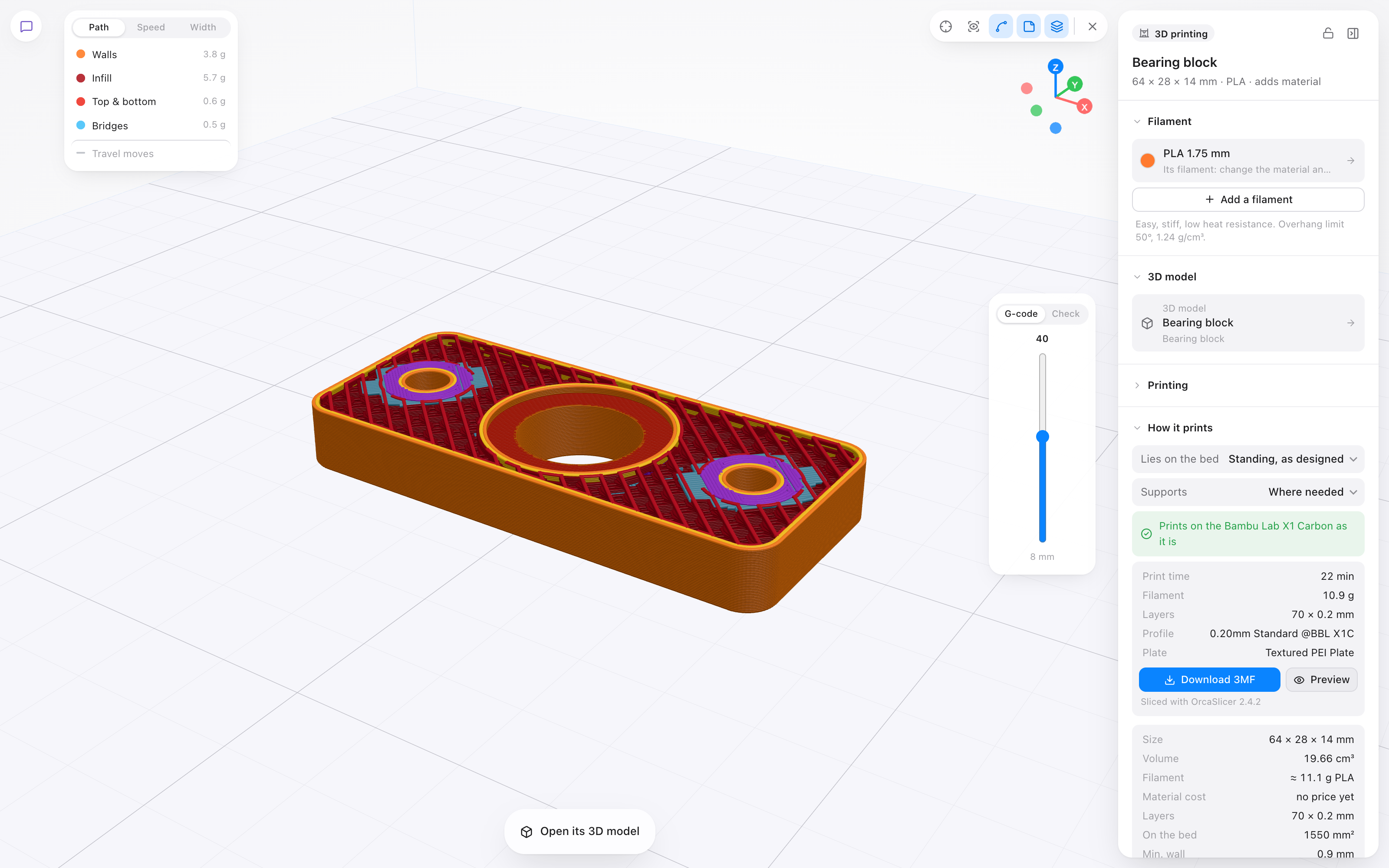
It’s also the slicer inside CadFlow. We needed one that slices without its window open, on a server, and OrcaSlicer’s command line does that. On an M2 Mac it slices the bearing block from our example project in about 0.6 seconds, and a bust of half a million triangles in two to three.
Download it from orcaslicer.com or its GitHub page. Its own README warns that orca-slicer.com and orcaslicer.net are fake sites that may serve dangerous downloads.
2. PrusaSlicer
2.9.6, June 2026Free, open sourceWindows, macOS, Linux (Flathub)Release notes
PrusaSlicer is the trunk of the family tree, and Prusa Research still develops it in the open. It’s the natural choice for a Prusa printer, and it also ships profiles for more than 30 other printer makers. Its organic supports, added in 2023, branch out like a tree to reach overhangs. Version 2.9.6 added ColorMix, which mixes colours on a multi-filament printer by switching filament between layers.
PrusaSlicer 3.0 has been in public alpha since 1 September 2026, with an interface rewritten from scratch and profiles in a new format. Prusa says it isn’t feature complete yet, so we’d keep printing with 2.9 until 3.0 is released.
3. Bambu Studio
2.8.2, August 2026Free, open source (closed network plugin)Windows, macOS, LinuxRelease notes
If you own a Bambu Lab printer, Bambu Studio is the slicer with the fewest surprises. Bambu Lab makes both, so its new printers and nozzles are supported in Bambu Studio from the start: version 2.0 added the H2D’s two nozzles and up to 32 filaments in one project.
On a Bambu printer, the slicer you choose also decides how the print gets to the printer. In January 2025 Bambu Lab changed its firmware so that starting a print over the network needs its authorization, and slicers built on Bambu Studio’s code can no longer use its network plugin to do that. Bambu Lab’s answer is Bambu Connect, a separate app that sends the print, along with a LAN-only Developer Mode for people who want the old access. Slicing for a Bambu printer in OrcaSlicer still works, and so does printing from the SD card. Starting the print over the network is where the extra steps are.
The argument flared up again in May 2026, when Bambu Lab wrote that a fork which had restored cloud printing posed as Bambu Studio to its servers. In the same post it said it has no objection to OrcaSlicer itself.
4. UltiMaker Cura
5.13, May 2026Free, open sourceWindows, macOS, LinuxRelease notes
Cura is the big slicer outside the Slic3r family, with an engine of its own. Its custom mode has more than 400 settings, and its Marketplace adds plugins and material profiles made by the community. UltiMaker, which makes Cura, also sells a supported version called Cura Enterprise to companies.
We print on a Creality Ender-3 S1 Pro, set up in Cura 5.12. When we added OrcaSlicer to CadFlow, we sliced the same model for that printer in both: a bust of about half a million triangles. OrcaSlicer estimated 2 hours 27 minutes and 23.4 g of PLA. Cura, with the profile we print with, estimated 2 hours 35 minutes and 23.8 g. Two engines written separately came out 8 minutes and 0.4 g apart on a print of about two and a half hours.
One model proves little, but it fits the family tree. With sensible settings, we think any slicer on this list makes a good print, and their estimates disagree by minutes and fractions of a gram. They differ much more in how easily you get a good profile for your printer, and in how the print gets to it.
5. Your printer maker’s own slicer
September 2026 releasesFree, open sourceWindows and Linux; macOS for Creality and ElegooCreality Print 7.3
Creality, Elegoo and Anycubic each make their own slicer, and all three are OrcaSlicer underneath, as their own source code says. What they add is their printers and their online services. Creality Print 7.3 handles the K3’s several nozzles of different sizes. ElegooSlicer links to Elegoo’s Nexprint model site, and Anycubic Slicer Next 2.0 keeps the filaments loaded in your printer in sync with the slicer and the phone app.
If your printer comes from one of them, start with its maker’s slicer, since its profiles come from the people who built the printer. If you move to OrcaSlicer later, most of what you learned carries over, because it’s the same program underneath.
Not on the list
Simplify3D was the best-known paid slicer for years. It still costs $199, and the newest version we could find, 5.1.2, came out in 2023.
SuperSlicer, a PrusaSlicer fork with many extra settings, hasn’t had a stable release since July 2024. Its developer still commits code, so it may come back.
Before the slicer: something to design with
A slicer needs a model. Downloaded models cover a lot, but for parts of your own you need design software too.
Tinkercad is free and runs in the browser, and Autodesk added sketching and revolve to it in 2025. It suits simple parts and first designs.
Onshape is professional CAD in the browser, with a free plan for non-commercial use on the condition that every document you make is public.
Autodesk Fusion is free for personal use for three years at a time if your projects earn under $1,000 a year, with a limit of 10 editable documents.
FreeCAD is free and open source and runs on your own computer. Version 1.1.4 came out in September 2026.
Then there’s ours. CadFlow is CAD in the browser for parts you’re going to make: you draw a part, wire in the filament and the printer (or a plank and a saw), and CadFlow checks that it can be made and hands it to OrcaSlicer for the G-code. It isn’t public yet. If you’d like to try it, join the waitlist.
Questions people ask
Is a paid slicer better than a free one?
We don’t think so. The slicers on this list are free and open source, and each of them gets new releases several times a year. The best-known paid slicer, Simplify3D, hasn’t released a new version we could find since 2023.
Which slicer is best for beginners?
The one your printer’s maker recommends, because it already has a profile tuned for your printer. If your printer doesn’t come with one, start with OrcaSlicer and work through its calibration prints.
Can I use OrcaSlicer with a Bambu Lab printer?
Yes. OrcaSlicer has profiles for Bambu Lab’s printers, and you can print what it slices from an SD card. On recent firmware, starting a print over the network needs Bambu Lab’s authorization, which is why Bambu Studio is the easier choice for those printers.
Is there a slicer that runs in the browser?
Prusa’s EasyPrint slices in the browser or the Prusa app, using PrusaSlicer on Prusa’s servers. It’s free with limits, such as one job at a time and a cap on slicing time per day.