The best laser engravers for 2027: the 12 people buy most
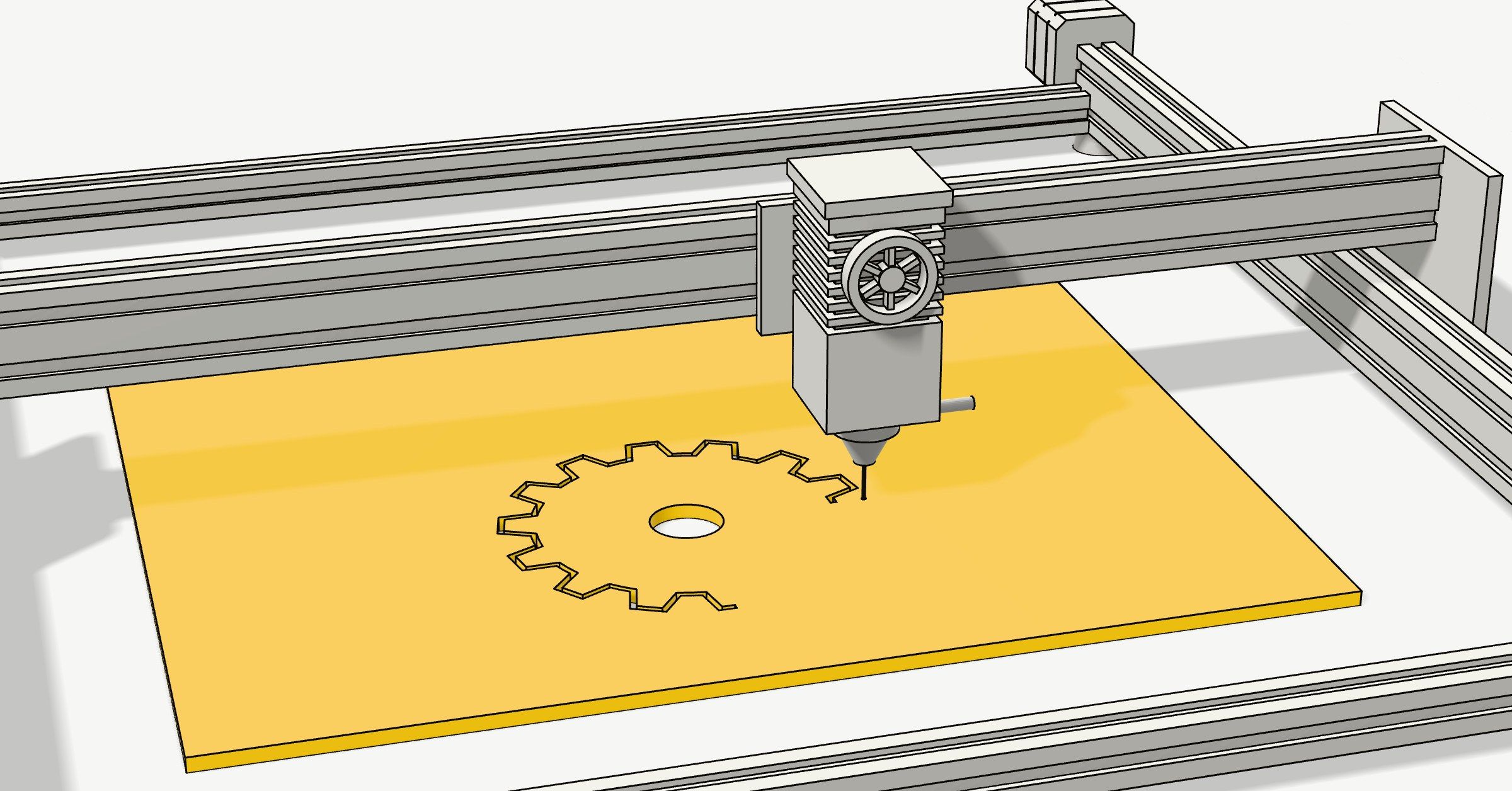
These are the laser engravers and cutters people are actually buying, from an $87 starter that engraves coasters to a $6,599 CO2 machine that cuts 20 mm wood in one pass. Eight of the twelve are plain diode lasers, which is what most people start with; two add a second laser for metal, and the last two are CO2.
What's on the list
The twelve laser machines selling best on Amazon in the US: eight diode, two that add a laser for metal, and two CO2. Each card has the price on the maker's own store, the work area, whether it's enclosed, its pros and cons, and where to buy it.
How we ranked them
By how many each one sold on Amazon US in the past month, as Amazon itself shows it, read on 11 November 2026. Every power and bundle of a machine counts together. Ties go to the machine with more ratings.
Where the facts come from
Prices, sizes and what each one cuts are from the makers' own stores and spec pages, read the same day. The cons also draw on reviews by Tom's Hardware, TechRadar and Make:.
A laser either engraves, burning a picture into the surface, or cuts, burning right through. Every machine here engraves; how thick it cuts depends on its power and on the kind of laser, which the section on diode, CO2 and fibre explains.
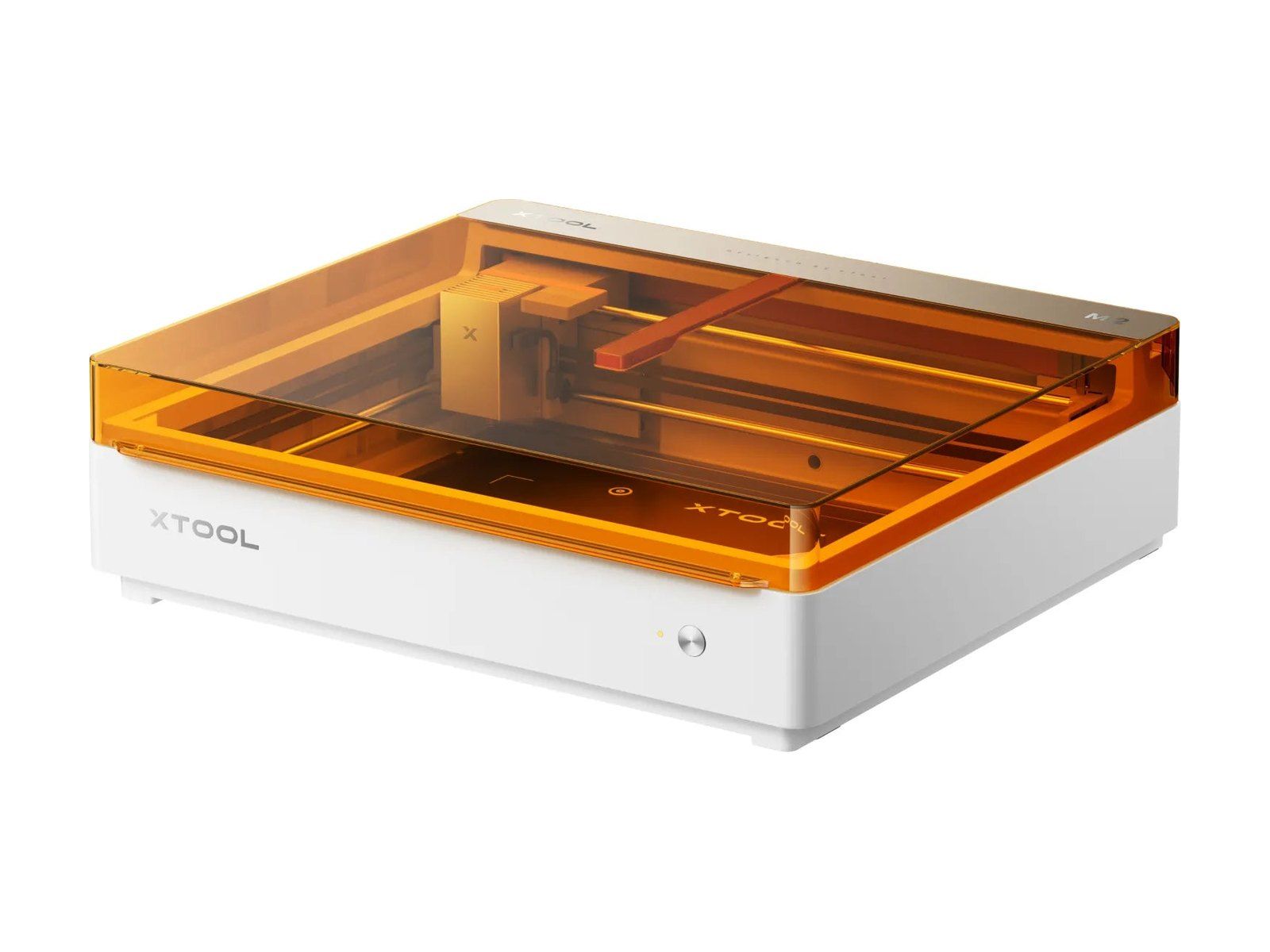
1xTool M2
$49910 W, on sale, $599 list; 20 W $899, 40 W $1,299
Enclosed: yes, Class 1, no goggles needed
xTool's newest machine, out in May 2026, and the best seller by far. It's a closed box with two cameras and air assist built in, and a 426 × 320 mm bed. The Color Craft versions add an inkjet that prints a picture in colour and then cuts round it.
Pros
- Enclosed: no goggles needed
- Two cameras and air assist built in
- Prints in colour, then cuts
- Cuts 8 mm basswood (10 W) to 15 mm (40 W)
Cons
- Runs only on xTool Studio, not LightBurn
- Can't cut clear, white or blue acrylic
- Ink cartridges are $99 and not refillable
 Amazon
Photo: xTool
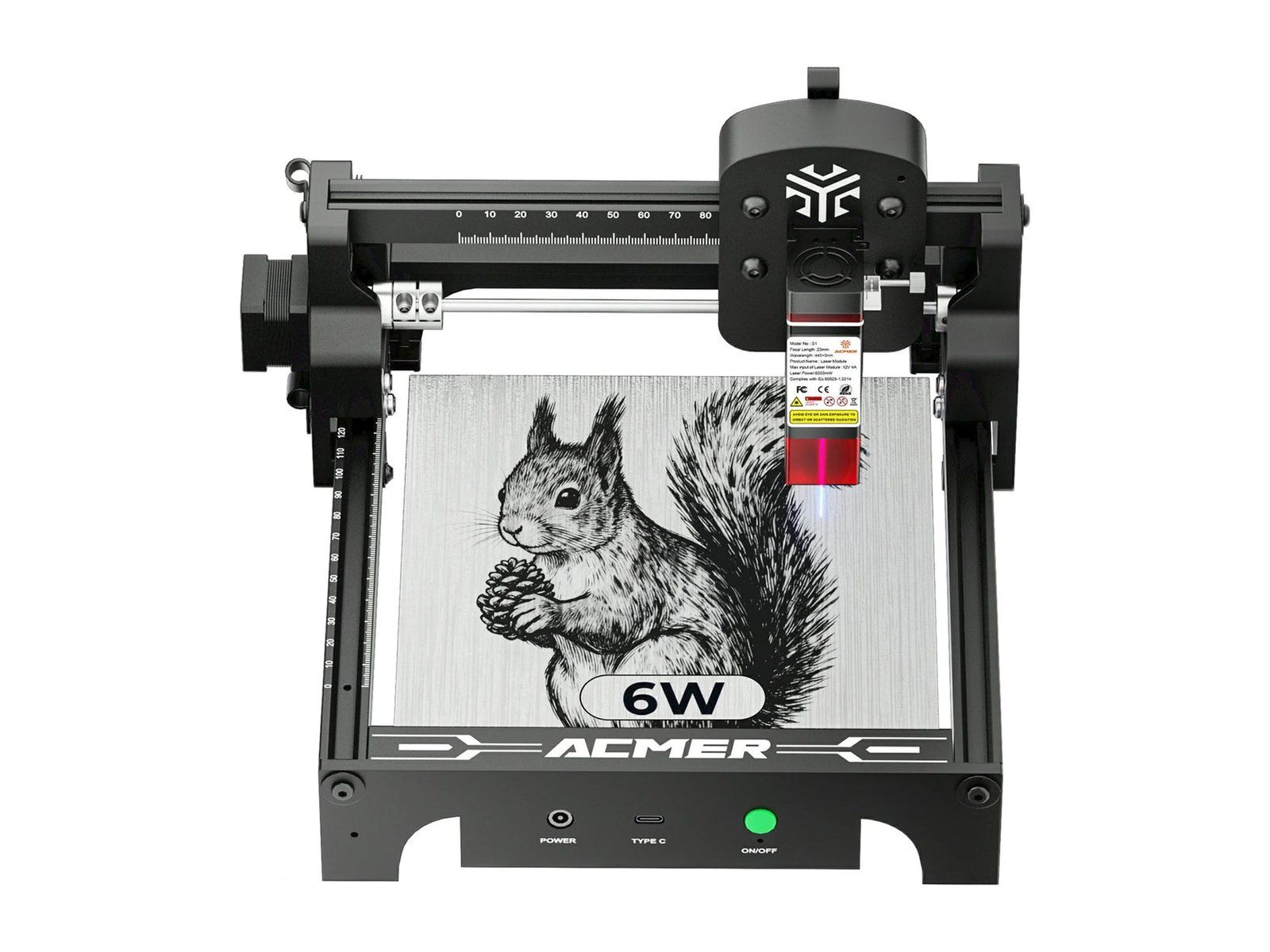
2ACMER S1
$1092.5 W, on sale, $189 list; $86.61 on Amazon
Enclosed: no, a cover is $59 more
The cheapest laser here: a small open frame that comes assembled and weighs 1.5 kg. It engraves 130 × 130 mm, enough for coasters, tags and phone cases. The 6 W version ($169) also cuts thin plywood and black acrylic.
Pros
- Under $110, under $90 on Amazon
- Comes assembled, 1.5 kg
- Fine detail on small things
Cons
- Small: 130 × 130 mm
- Open: goggles and a vent needed
- Runs only from a computer, over USB
Photo: ACMER
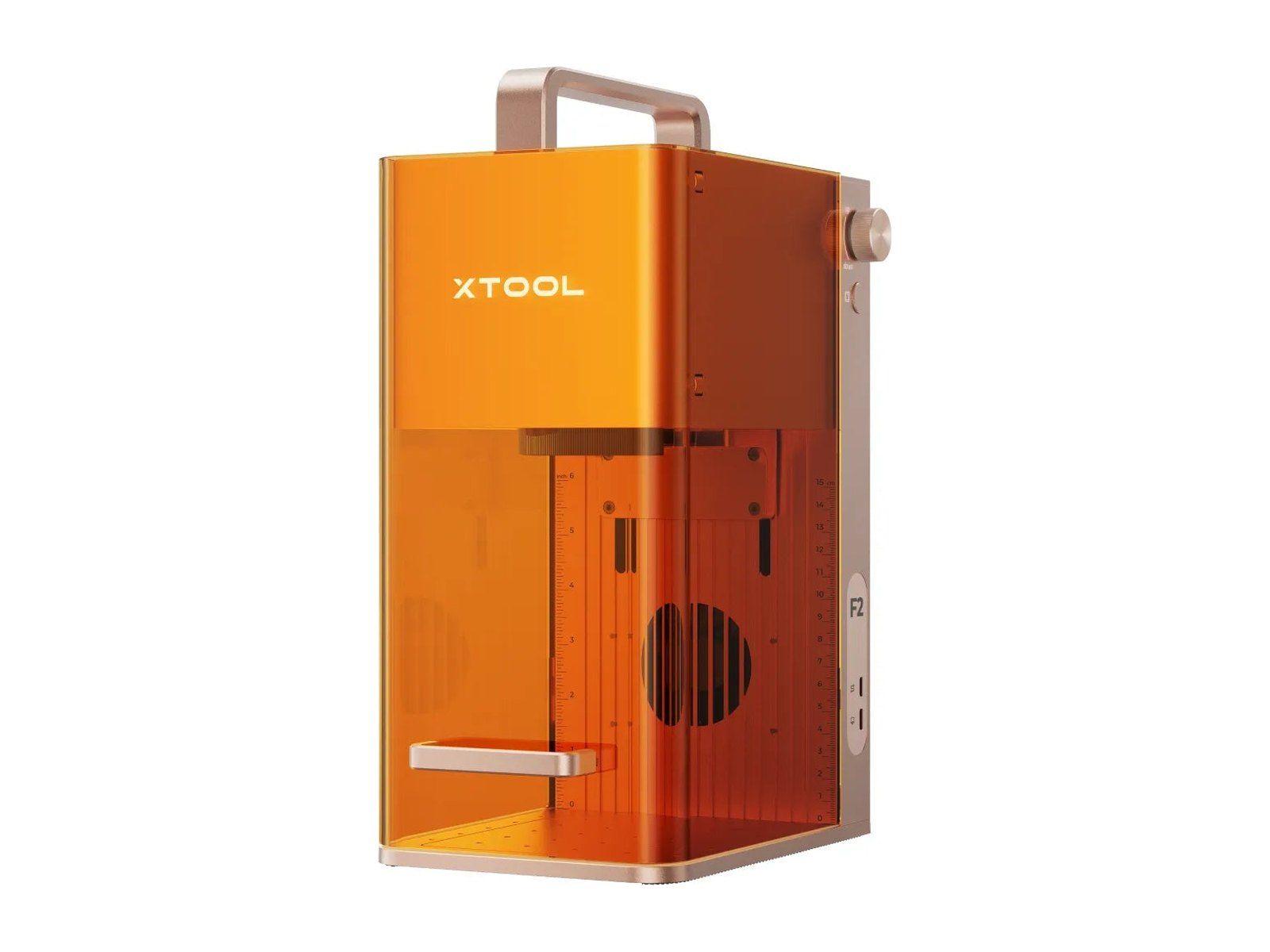
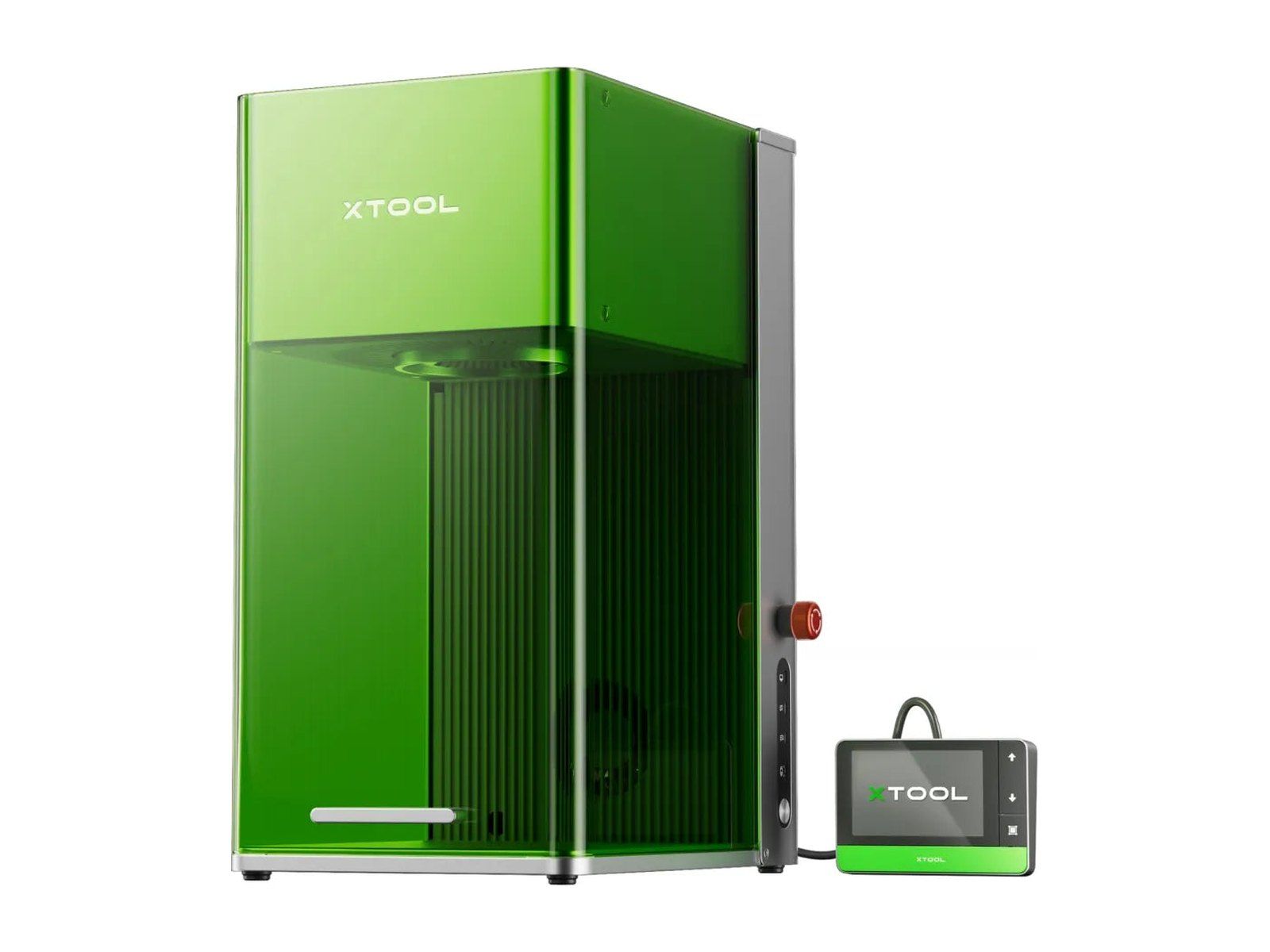
3xTool F2
$1,29915 W diode and 5 W infrared; $1,149 on Amazon
Enclosed: partly, Class 4: goggles needed
A portable galvo laser: instead of moving the head, it swings the beam with mirrors, so it engraves very fast over a small 115 × 115 mm field. Its two lasers cover wood and leather (the blue diode) and metal and plastic (the infrared one).
Pros
- Very fast engraving
- Diode and infrared: wood and metal
- 4.6 kg, with a handle
- A 50 MP camera to place the design
Cons
- Small: 115 × 115 mm
- Class 4: goggles needed
- No LightBurn yet, xTool Studio only
Photo: xTool
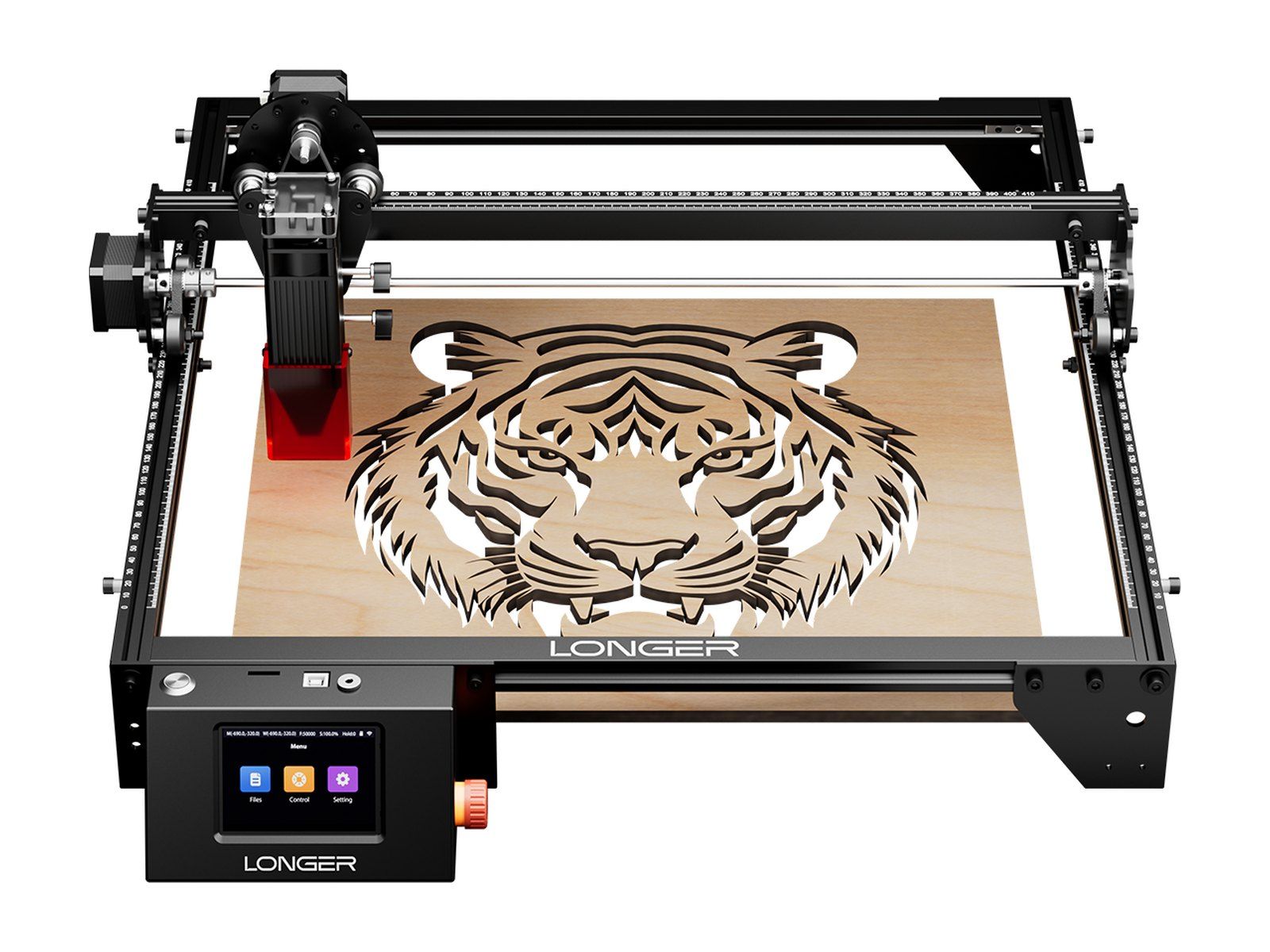
4LONGER Ray5
$239.9910 W, on sale, $329.99 list; 20 W $359.99
Enclosed: no, open frame
A big open-frame laser for little money: 400 × 400 mm (the 20 W 400 × 365 mm), with a touchscreen, so it can run a job from a memory card without a computer. LONGER says the 20 W cuts 15 mm basswood in one pass.
Pros
- 400 mm bed for $240
- Touchscreen, runs from a card
- Works with LightBurn and LaserGRBL
Cons
- Open: goggles and a vent needed
- Air assist only in the dearer kits
- Noisy, in Notebookcheck's review
Photo: LONGER
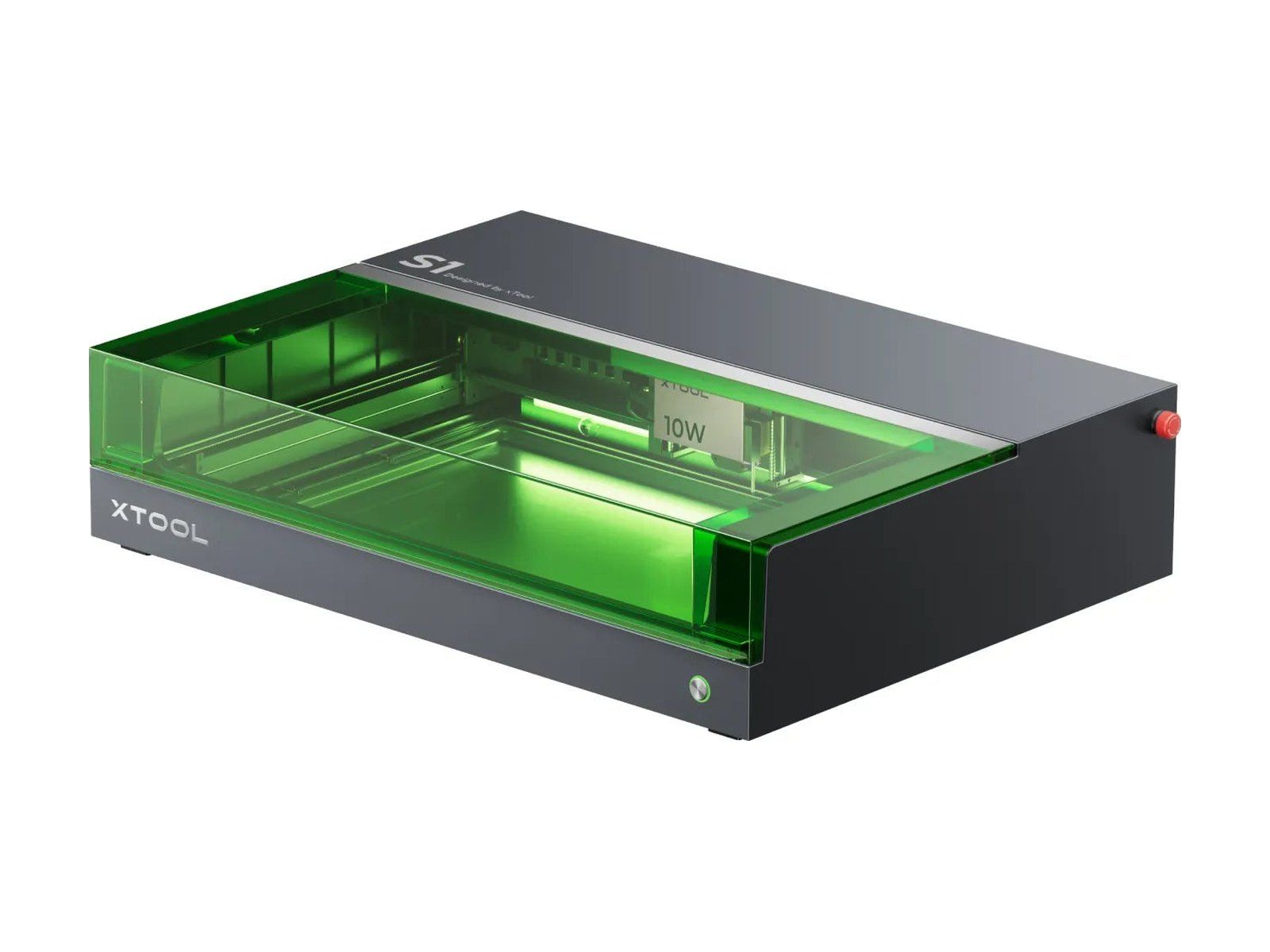
5xTool S1
$1,44840 W, on sale, $2,199 list
Enclosed: yes, Class 1, no goggles needed
xTool's bigger enclosed diode laser, out since October 2023, with a 498 × 319 mm bed. The 40 W cuts 15 mm basswood plywood and 15 mm black acrylic in one pass, xTool says. The 20 W was out of stock in the US store.
Pros
- Enclosed, with a 40 W diode
- Big bed: 498 × 319 mm
- Works with LightBurn
Cons
- No camera to place the design
- Air assist is $169 more
- 42 mm high under the lid, without a riser
Photo: xTool
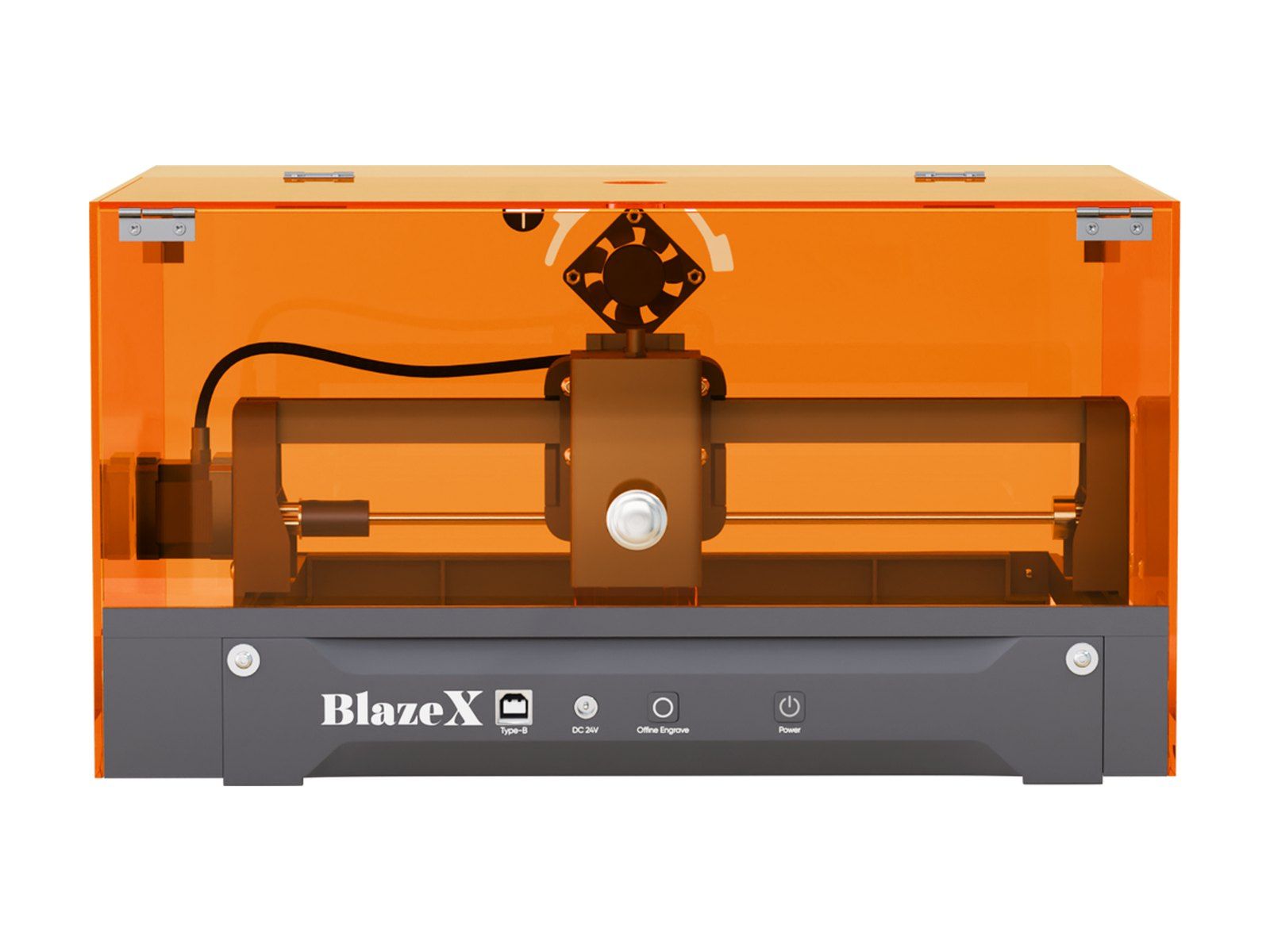
6BlazeX M3
$28910 W, on sale, $598 list; with camera $348
Enclosed: yes, the cover comes with it
A small 10 W laser in an orange cover, with Wi-Fi and BlazeX's phone app. BlazeX's own store now sells it as the M3 Pro; we couldn't confirm that Amazon's M3 is the same machine. Its bed is 200 × 150 mm.
Pros
- The cover comes with it
- A camera for $59 more
- Wi-Fi, a phone app and LightBurn
Cons
- Small: 200 × 150 mm
- Air assist costs extra
- No independent review we could find
Photo: BlazeX
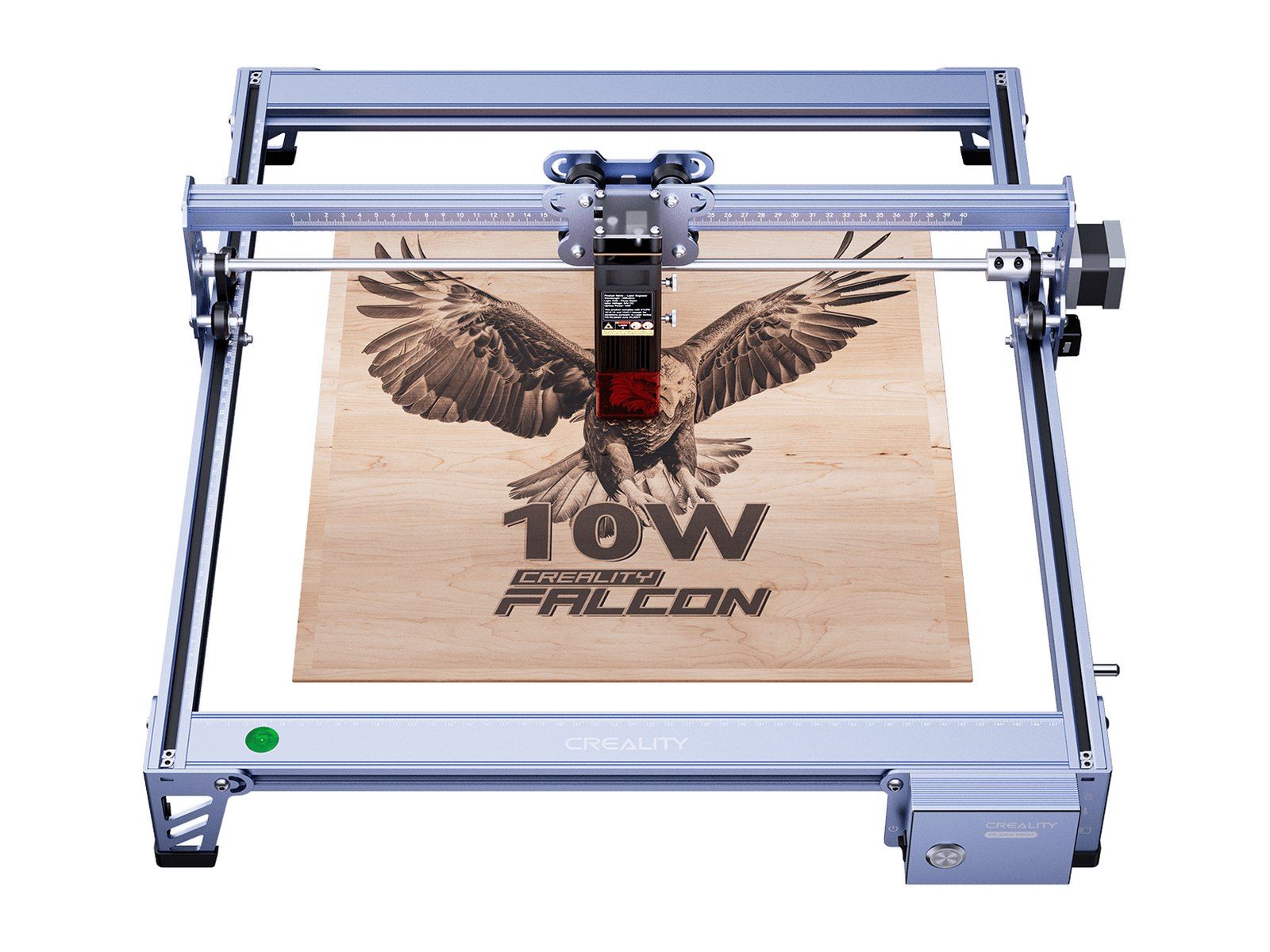
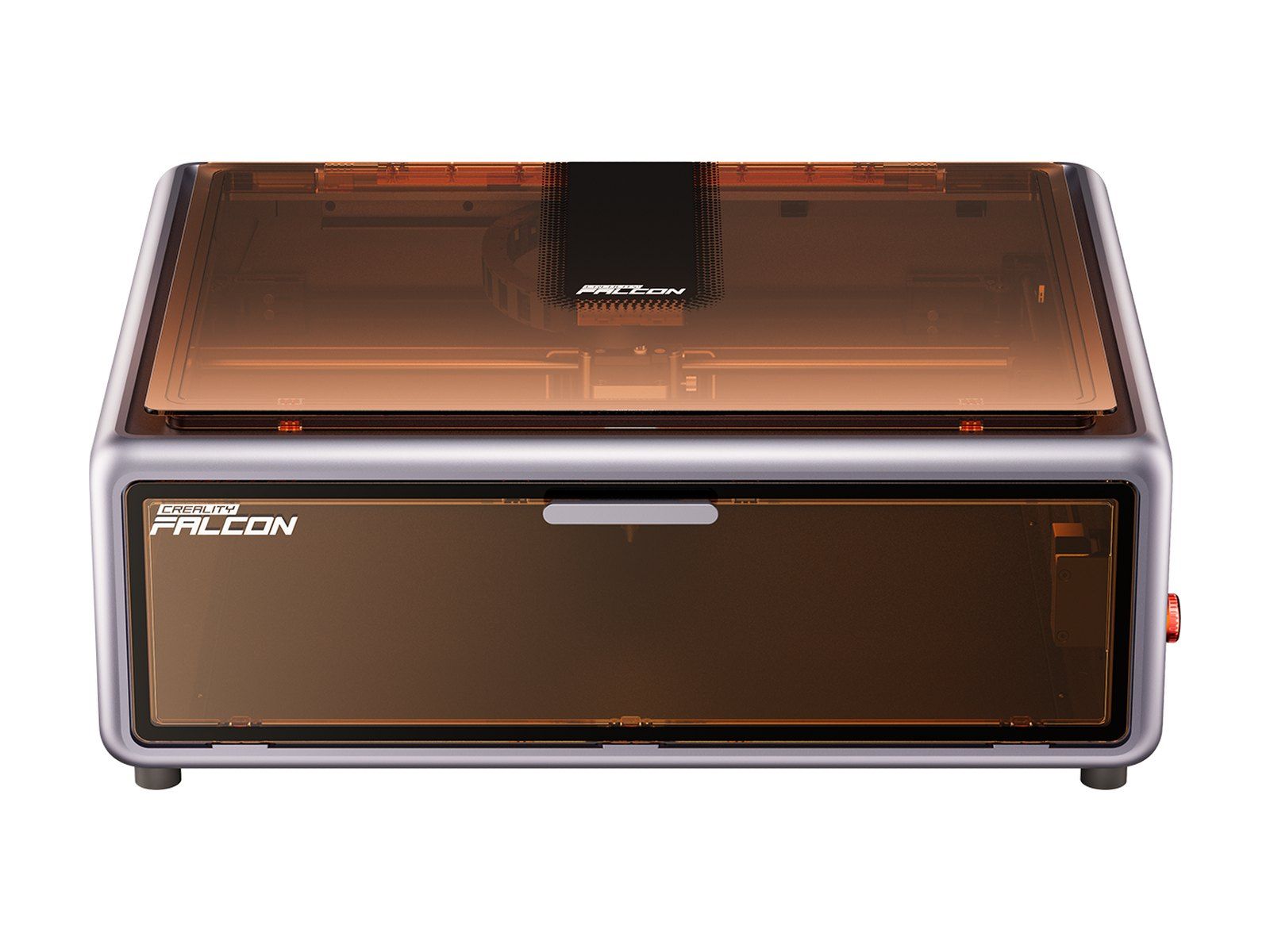
7Creality Falcon 10W
$189.90on sale, $379 list
Enclosed: no, open frame
Creality's open-frame laser from 2022, still selling: 400 × 415 mm for under $200. It runs jobs from a microSD card and works with LightBurn and LaserGRBL. Creality says it cuts 6 mm basswood and 5 mm black acrylic in one pass.
Pros
- Big bed for under $200
- Runs jobs from a card
- Works with LightBurn and LaserGRBL
Cons
- Open: goggles and a vent needed
- Air assist pump sold separately
- Focus by hand, no camera
Photo: Creality
8Creality Falcon A1
$54910 W, on sale, $599 list; A1 Pro 20 W $1,099
Enclosed: yes, Class 1, no goggles needed
Creality's enclosed 10 W, from March 2025: a closed box with a camera, air assist in the box and a fast CoreXY drive. The bed is 305 × 381 mm. It cuts the same 6 mm basswood as the open Falcon; the 20 W A1 Pro cuts 10 mm.
Pros
- Enclosed: no goggles needed
- Camera and air assist included
- Works with LightBurn and LaserGRBL
Cons
- 10 W cuts only thin stock
- Smaller bed than the open Falcon
- Smoke needs a vent or a $179 purifier
Photo: Creality
9xTool F1 Ultra
$2,549on sale, $2,999 list; $2,420 on Amazon
Enclosed: partly, Class 4: goggles needed
A galvo laser with a 20 W fibre laser beside a 20 W diode. The fibre engraves bare metal deep and, xTool says, cuts thin brass, steel and aluminium sheet; the diode does wood and leather. It's for people engraving metal to sell.
Pros
- Fibre: engraves bare metal deep
- Cuts thin brass and steel sheet
- Very fast, up to 10,000 mm/s
- A conveyor for batches, as an option
Cons
- Small: 220 × 220 mm
- Class 4: goggles needed
- Lining up the two lasers is fiddly
Photo: xTool
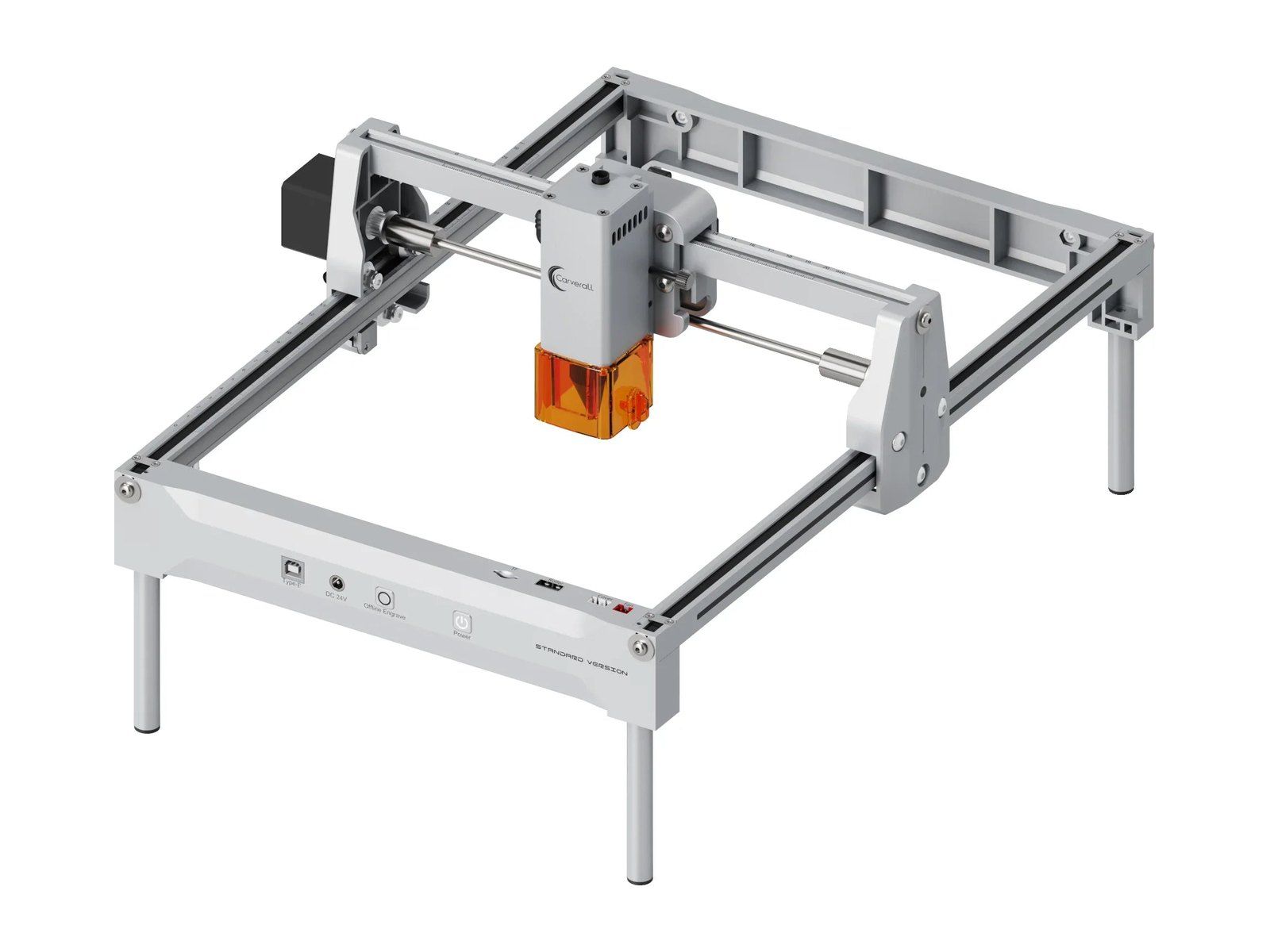
10Carverall K15 Pro
$165.597 W, on sale, $239 list; 12 W $193.19
Enclosed: no, a cover is extra
An open-frame laser on legs with a near-A4 bed, 300 × 200 mm, Wi-Fi and a phone app. Amazon sells it as 10 W; Carverall's own store sells 7 W and 12 W versions. With Carverall's cover it's Class 1.
Pros
- Near-A4 bed for under $200
- Wi-Fi, a phone app and offline jobs
- Works with LightBurn and LaserGRBL
Cons
- Open: goggles and a vent needed
- Its power isn't clear: 7, 10 or 12 W
- Air assist and camera cost extra
Photo: Carverall
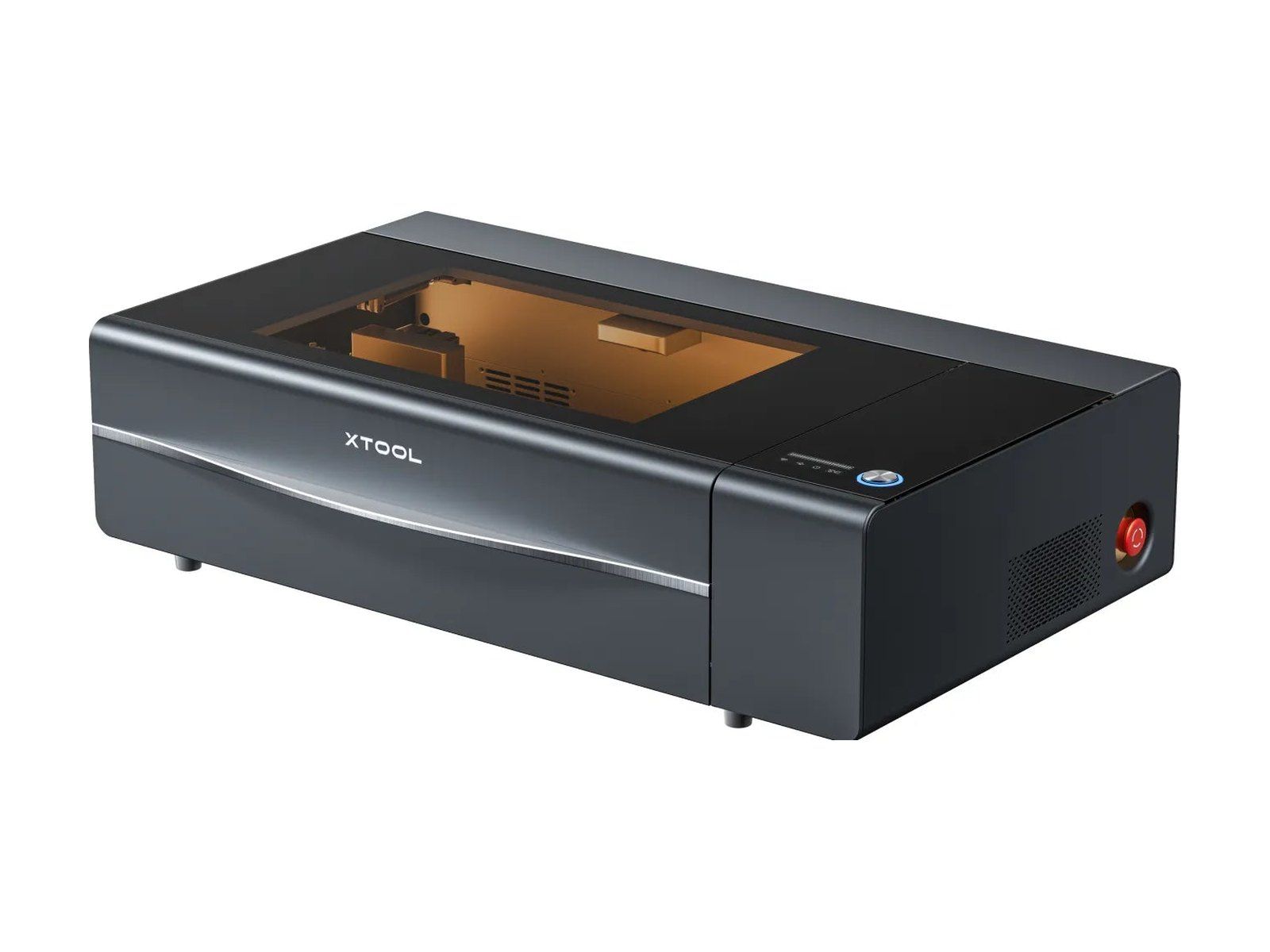
11xTool P2S
$2,999on sale, $4,499 list
Laser: 55 W CO2, cuts clear acrylic
The best-selling CO2 laser on the list, from September 2024: a 600 × 305 mm bed under a lid, two 16 MP cameras and strong air assist. xTool says it cuts 18 mm basswood and 20 mm acrylic, clear included, in one pass.
Pros
- CO2: cuts clear acrylic, 20 mm
- Two cameras and autofocus
- Works with LightBurn
Cons
- Class 4 as standard
- 45 kg and a big footprint
- Needs a $499 riser for tall things
Photo: xTool
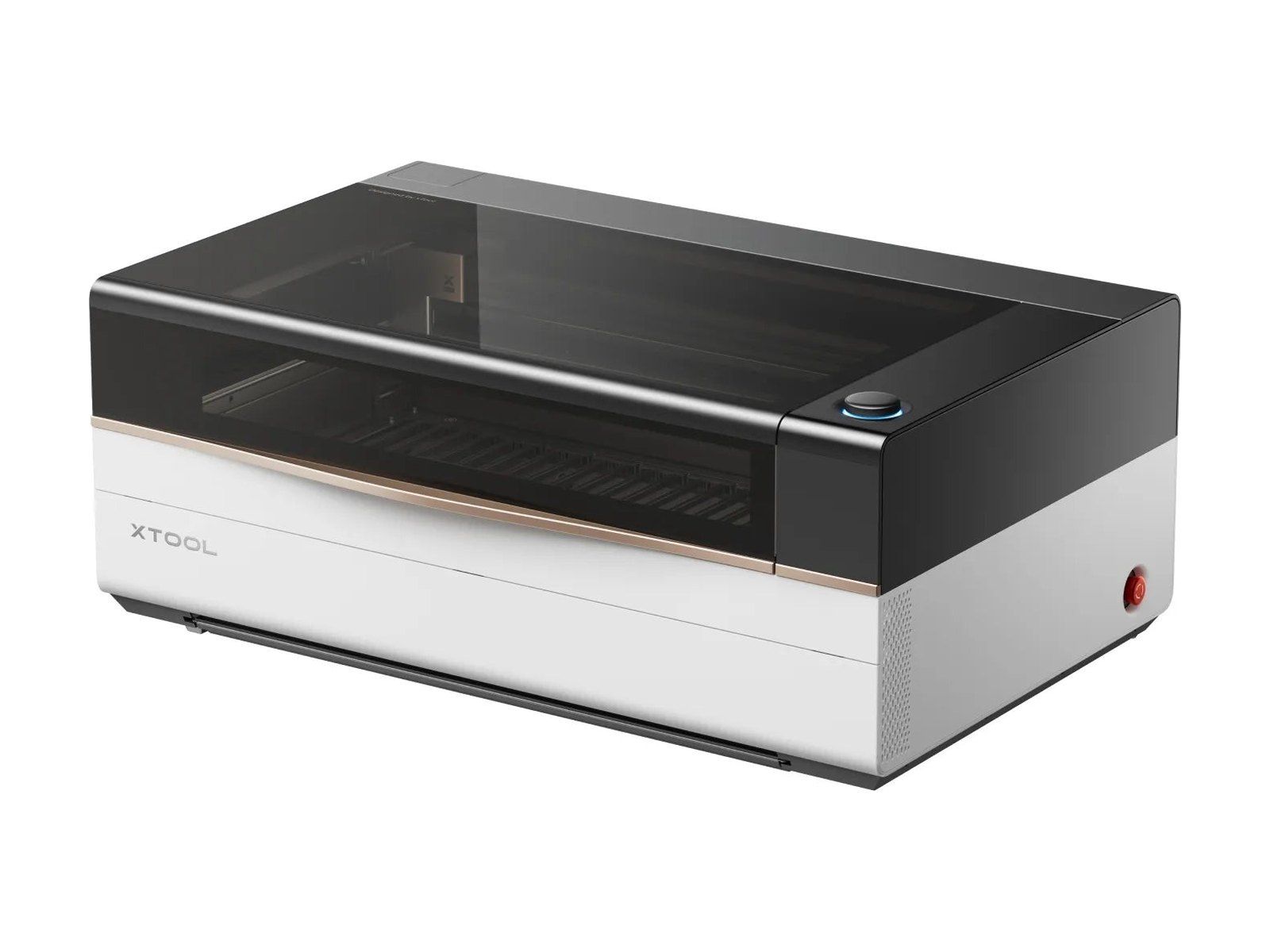
12xTool P3
$6,599the 80 W machine; bundles to $10,059
Laser: 80 W CO2, Class 1
xTool's flagship, from autumn 2025: an 80 W CO2 laser with a 915 × 458 mm bed, four cameras, a motorised base and fire suppression built in. It cuts 20 mm basswood and 25 mm acrylic in one pass. The Amazon listing that sold is the $8,559 bundle with a stand and a feeder.
Pros
- The biggest bed here, 915 × 458 mm
- Class 1, with fire suppression
- Cuts 20 mm wood in one pass
Cons
- $6,599, and 105 kg
- No LightBurn, xTool Studio only
- The stand is $299 more
Photo: xTool
How many each one sold
Show as a table
| Machine | Bought last month |
|---|---|
| xTool M2 | 950+ |
| ACMER S1 | 300+ |
| xTool F2 | 250+ |
| LONGER Ray5 | 150+ |
| xTool S1 | 100+ |
| BlazeX M3 | 100+ |
| Creality Falcon 10W | 100+ |
| Creality Falcon A1 | 100+ |
| xTool F1 Ultra | 100+ |
| Carverall K15 Pro | 100+ |
| xTool P2S | 100+ |
| xTool P3 | 100+ |
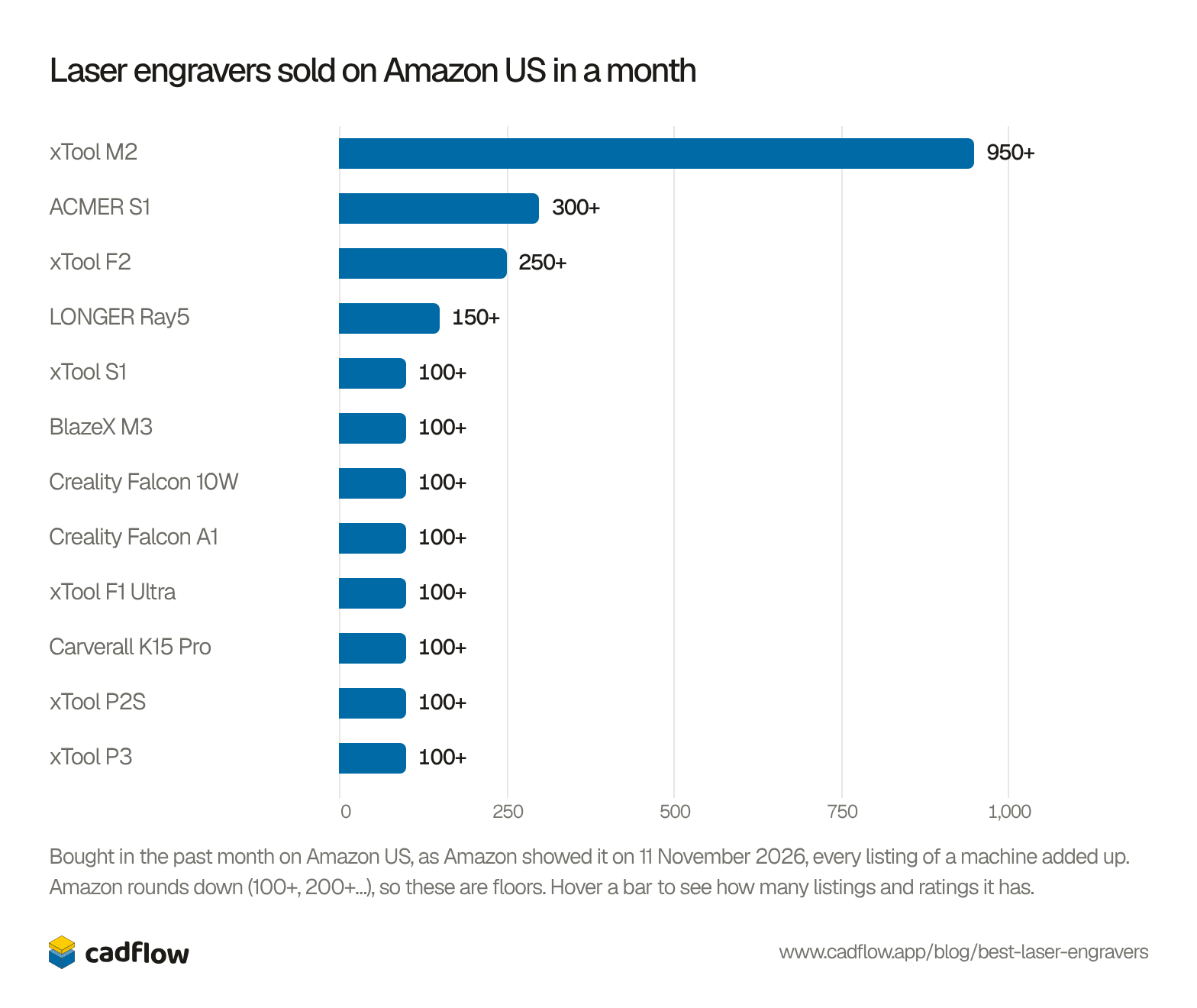
The xTool M2 sold more than three times as many as anything else, and xTool has six of the twelve. That fits the market as a whole: in its listing papers for Hong Kong, xTool gave itself 47% of the money spent on laser engravers and cutters worldwide in the first nine months of 2025 (makers101 on the prospectus).
Show the numbers
| # | Machine | Listing | Bought last month | Price |
|---|---|---|---|---|
| 1 | xTool M2 | 10 W | 400+ | $499 |
| 10 W Color Craft | 300+ | $599 | ||
| 20 W Color Craft, with RA3 Lite | 200+ | $1,229 | ||
| 20 W | 50+ | $899 | ||
| 2 | ACMER S1 | 2.5 W | 200+ | $86.61 |
| 6 W | 100+ | $159.99 | ||
| 3 | xTool F2 | 15 W diode + 5 W infrared | 200+ | $1,149 |
| The same, with slide extension, RA3 rotary and air purifier | 50+ | $1,929 | ||
| 4 | LONGER Ray5 | 10 W, 400 × 400 mm | 100+ | $225.99 |
| 20 W, 400 × 365 mm | 50+ | $369.97 | ||
| 5 | xTool S1 | 40 W | 100+ | $1,699 |
| 6 | BlazeX M3 | 10 W, with camera | 100+ | $379 |
| 10 W | – | $329 | ||
| 10 W, with rotary set | – | $399 | ||
| 7 | Creality Falcon 10W | 10 W | 100+ | $189.90 |
| 8 | Creality Falcon A1 | 10 W | 100+ | $549 |
| 10 W, another listing | – | $549 | ||
| 9 | xTool F1 Ultra | 20 W fibre + 20 W diode | 100+ | $2,420 |
| 10 | Carverall K15 Pro | 10 W | 100+ | $199.99 |
| 11 | xTool P2S | 55 W CO2 | 100+ | $2,999 |
| 12 | xTool P3 | 80 W CO2, all-in-one bundle with stand and conveyor feeder | 100+ | $8,559 |
| 80 W CO2 | – | $5,899 |
We read the counts off two Amazon searches, laser engraver and co2 laser cutter, and left out pens, sprays, rotaries and other accessories. Five of the twelve are also in the top 30 of Amazon’s best sellers for engraving machines: the M2 at 6, the ACMER S1 at 15, the BlazeX M3 at 17, the F2 at 18 and the K15 Pro at 28.
This is one country’s store. We tried Amazon’s UK and German stores and the European price comparison sites too, but they answered with a check for robots that day. It also misses what the makers sell from their own shops: xTool, and Glowforge and OMTech in particular, sell a lot that way.
All twelve side by side
| Machine | Price | Laser | Work area (mm) | Enclosed | LightBurn |
|---|---|---|---|---|---|
| xTool M2 | $499 | 10, 20 or 40 W diode | 426 × 320 | Yes, Class 1 | No |
| ACMER S1 | $109 | 2.5, 3.5 or 6 W diode | 130 × 130 | No | Not from ACMER |
| xTool F2 | $1,299 | 15 W diode, 5 W infrared, galvo | 115 × 115 | Partly, Class 4 | No |
| LONGER Ray5 | $239.99 | 10 or 20 W diode | 400 × 400 | No | Yes |
| xTool S1 | $1,448 | 20 or 40 W diode | 498 × 319 | Yes, Class 1 | Yes |
| BlazeX M3 | $289 | 10 W diode | 200 × 150 | Yes | Yes |
| Creality Falcon 10W | $189.90 | 10 W diode | 400 × 415 | No | Yes |
| Creality Falcon A1 | $549 | 10 W diode | 305 × 381 | Yes, Class 1 | Yes |
| xTool F1 Ultra | $2,549 | 20 W fibre, 20 W diode, galvo | 220 × 220 | Partly, Class 4 | Yes |
| Carverall K15 Pro | $165.59 | 7 or 12 W diode | 300 × 200 | Cover extra | Yes |
| xTool P2S | $2,999 | 55 W CO2 | 600 × 305 | Lid, Class 4 | Yes |
| xTool P3 | $6,599 | 80 W CO2 | 915 × 458 | Yes, Class 1 | No |
Prices are the lowest on each maker’s US store on 11 November 2026, many of them on Black Friday sale. The power is what the laser puts out. Some listings put a bigger number in the title, such as “80W” for a 10 W laser, which is the power it draws, not the light it makes (LightBurn forum).
Diode, CO2 or fibre?
The three kinds of laser work at different wavelengths, and that decides what they can cut (LightBurn, xTool):
- Diode lasers make blue light, about 455 nm. They’re small and cheap, and most machines here use one. They cut wood, card, leather and dark acrylic, slowly, and thicker with more power: about 6 mm basswood at 10 W, 15 mm at 40 W.
- CO2 lasers make infrared light at 10.6 µm, from a gas tube. They cut faster and cleaner, and they cut clear acrylic, which a blue diode passes straight through. A 55 W CO2 cuts 18 mm basswood in one pass.
- Fibre lasers work at 1064 nm, which metal soaks up. They engrave bare steel, brass and aluminium deep, but hardly touch wood. The infrared module on the xTool F2 works at the same wavelength.
| Material | Diode | CO2 | Fibre |
|---|---|---|---|
| Wood, plywood, MDF | Cuts | Cuts | Marks only |
| Paper, card, leather, cork, fabric | Cuts | Cuts | – |
| Black or coloured acrylic | Cuts | Cuts | – |
| Clear, white or blue acrylic | No | Cuts | – |
| Glass | No | Engraves | – |
| Stone, slate, tile | Engraves | Engraves | – |
| Anodised or painted aluminium | Engraves | Engraves | Engraves |
| Bare stainless steel, brass | With marking spray | With marking spray | Engraves |
From Epilog, LightBurn and xTool. None of these machines cuts sheet metal thicker than foil: that takes an industrial fibre laser of several kilowatts, which is what online laser cutting services use.
Two more words come up. A gantry laser moves its head on rails over a big bed, like the M2 or the Ray5. A galvo laser keeps still and swings the beam with two mirrors, so it engraves many times faster but only over a small square, like the F2 and the F1 Ultra.
Safety: eyes, fire and fumes
A laser that cuts wood also burns skin and blinds, and it makes smoke you shouldn’t breathe. This is what matters:
- Your eyes. An enclosed machine marked Class 1 keeps the beam in, so you can watch through the lid. An open frame is Class 4: even the light bouncing off the work can hurt your eyes (OSHA). Wear goggles made for that laser’s wavelength, with an OD rating on them; goggles for a blue diode don’t protect you from a CO2 or fibre laser (MIT EHS). Keep children and pets away from open machines.
- Fire. Wood and acrylic can catch fire under the beam. Never leave a laser running, keep a fire extinguisher by it, and clean the scraps out of the bed (MIT EHS). Air assist, a jet of air at the nozzle, blows the flame out and gives a cleaner cut.
- Fumes. Cutting makes fine smoke and gases: glue in plywood and MDF can give off formaldehyde, and cut acrylic smells of its monomer for a day. Vent the machine outside through its exhaust hose, or use a proper fume filter. A study of a desktop 40 W CO2 cutter found that ventilation removed both the particles and the gases (CDC).
Never cut these, as the maker spaces’ lists warn (FIXME hackerspace, Tulane makerspace):
- PVC and vinyl, including vinyl records, faux leather and many plastic signs: they give off chlorine and hydrochloric acid, which harm you and rust the machine.
- Polycarbonate (Lexan): it burns and turns brown rather than cutting.
- ABS: it melts and gives off hydrogen cyanide.
- PTFE (Teflon), fibreglass and coated carbon fibre: toxic fumes.
- HDPE and foams such as polystyrene: they melt and catch fire.
If you don’t know what a plastic is, don’t cut it.
The software
Every laser needs a program that turns your drawing into a job: where to cut, where to engrave, and how hot and fast.
- xTool Studio (formerly xTool Creative Space) is xTool’s own, free, for Windows and macOS. The M2, F2 and P3 work only with it.
- LightBurn is the program most people move to. It runs on Windows, macOS and Linux and works with most machines here. Core, for diode lasers, is $99; Pro, which adds CO2 controllers and galvo lasers, is $199. Both are yours to keep, with a year of updates, then $40 a year for more. There’s a 30-day trial (LightBurn).
- LaserGRBL is free and open source, for Windows only, and runs the open-frame diode lasers (LaserGRBL).
- Creality’s free Falcon Design Space runs its Falcon lasers, and BlazeX and Carverall have the CutLabX phone app.
All of them read SVG and DXF files, which most drawing and CAD programs save. A laser burns away about 0.2 mm as it cuts (Ponoko), so parts that slot together, like a finger-jointed box, need their slots drawn a little narrower.
Not on the list
Glowforge, which made the home laser cutter well known, sells from its own store, so Amazon’s numbers don’t show it. Its diode Spark ($899) and Aura ($999 on sale) are for crafts; its CO2 Plus HD ($6,999) and Pro HD ($7,999) cut 1/4-inch material. OMTech sells CO2 lasers for much less: the K40+ is $579.99 and the Polar Lite 55W $2,199.99 on its own store. Bambu Lab’s H2D and H2C 3D printers come with a 10 W or 40 W laser module as a combo, from $2,799 at launch.
Just below the twelve were the xTool F2 Ultra, a galvo laser with a 60 W fibre and a 40 W diode ($5,299), and Creality’s small Falcon A1C. The Aliencell X1 Lite (40 W diode, $1,299.99) showed 300+ bought on one search and none on the other the same hour, and it had three ratings, so we left it out until it shows up steadily.
Which would we buy?
In our opinion: to learn on, the xTool M2 at $499. It’s enclosed, so it’s safe in a house, and it has the cameras and air assist that a $200 open frame makes you buy later. On a tight budget, an open Creality Falcon 10W or LONGER Ray5 gives you a big bed for under $250, if you have somewhere to vent it and goggles to wear. To cut clear acrylic and thick plywood, skip the diodes and buy a CO2 laser such as the xTool P2S. To engrave metal, the xTool F1 Ultra.
Whatever you buy, you draw what it cuts first. Our guide to CAD software compares the programs to draw it in. For parts in thicker wood and aluminium, look at desktop CNC machines instead.
We make CadFlow, modern CAD for makers and engineers: faster to model, easier to use and more robust than traditional CAD. It isn’t public yet. If you'd like to try it, join the waitlist.
Questions people ask
What's the best laser engraver for a beginner?
An enclosed one, so you don't need goggles and the smoke goes out of one hose. The xTool M2 ($499) and Creality Falcon A1 ($549) are Class 1, with a camera and air assist. If you'd rather spend less, the open-frame Creality Falcon 10W ($189.90) and LONGER Ray5 ($239.99) are the best sellers under $250, but you'll need goggles and a vent.
Which laser is best for cutting wood?
For thin plywood, up to 6 mm, any 10 W diode laser does it in a pass or two. For 10 to 15 mm, a 20 or 40 W diode such as the xTool S1 40 W. For thick wood quickly and cleanly, a CO2 laser such as the xTool P2S, which cuts 18 mm basswood in one pass.
Diode or CO2: which should I buy?
A diode laser is cheaper, smaller and engraves wood, leather and coated metal well. A CO2 laser costs more and needs venting, but cuts faster and thicker, and it cuts clear acrylic and engraves glass, which a diode can't. If you mostly engrave, start with a diode; if you mostly cut acrylic or thick wood, buy CO2.
Can a laser engraver cut metal?
Not the ones here, apart from foil-thin sheet. A diode laser marks coated or anodised metal, a fibre laser such as the xTool F1 Ultra engraves bare metal and cuts thin brass and steel sheet. Cutting steel plate takes an industrial fibre laser of several kilowatts.
Do I need ventilation?
Yes, for every one. Cutting wood and acrylic makes fine smoke and gases you shouldn't breathe. Run the exhaust hose out of a window, or buy the maker's fume filter. An enclosure keeps the beam in, not the smoke.
What materials should I never laser cut?
PVC and vinyl (they give off chlorine), polycarbonate, ABS (hydrogen cyanide), PTFE, fibreglass, coated carbon fibre, HDPE and foams. If you don't know what a plastic is, don't cut it.
How did we rank them?
By how many each one sold on Amazon US in the past month, as Amazon shows it on each listing, read off two searches on 11 November 2026, every power and bundle of a machine added together. Ties go to the one with more ratings. The cards' facts are from the makers' own stores and spec pages, read the same day; the cons also draw on Tom's Hardware's reviews of the M2, S1 and P3, TechRadar's of the S1 and Falcon A1 Pro, Make:'s of the F2, F1 Ultra and P2, and Notebookcheck's of the Ray5.
Free tools for this
History of this post
- Published
Read next
CAM software explained, and the 13 CAM programs to know
Top 10 online laser cutting, CNC and 3D printing services for 2027
The best desktop CNC machines for 2027: 12 compared by price


This blog is by the team making CadFlow, where you build your project in 3D and show how it goes together.
See how CadFlow works