Top 6 CAD MCP servers for Claude and ChatGPT, and how to install them
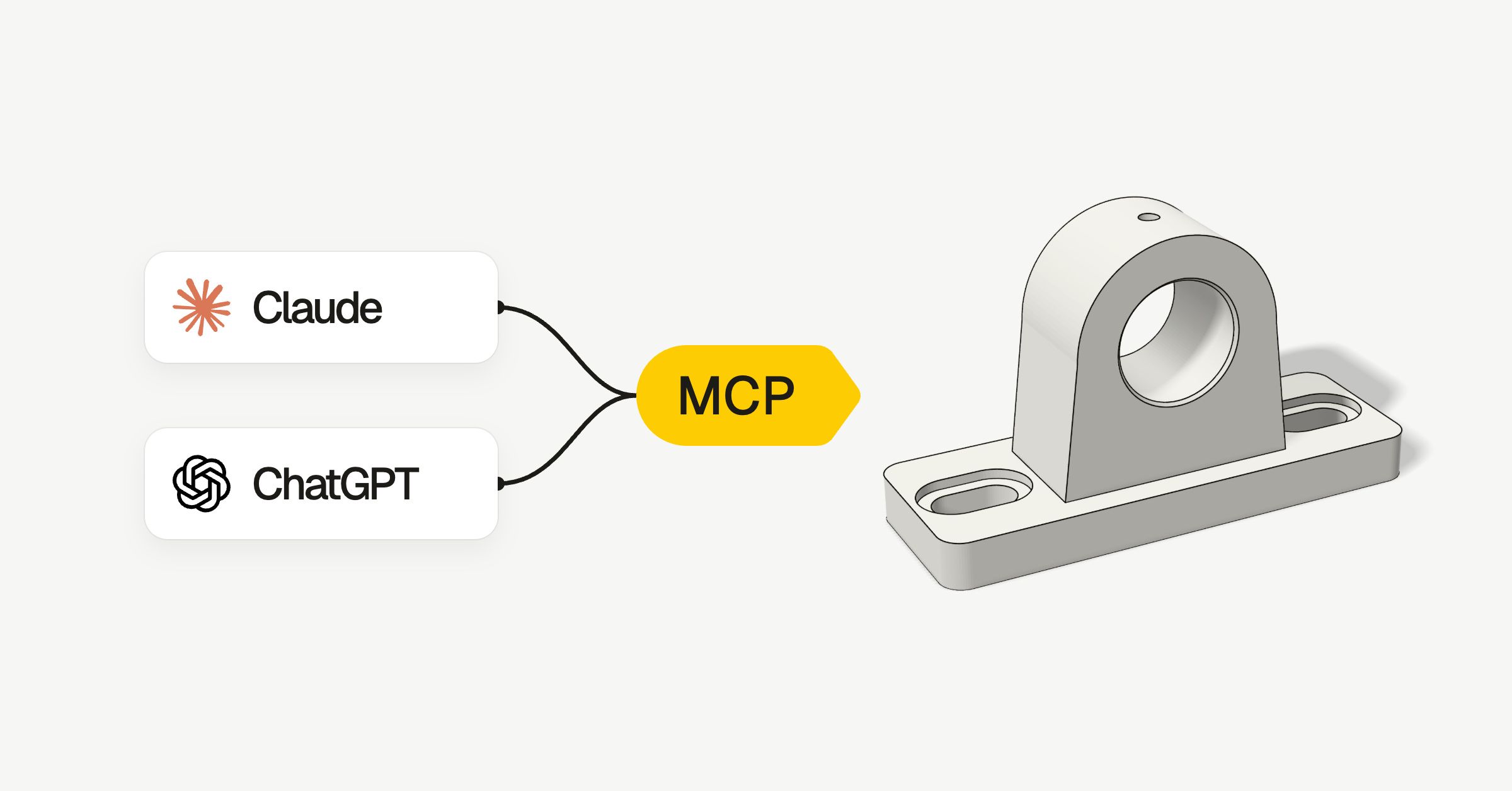
An MCP server lets an AI app such as Claude or ChatGPT work inside another program, so you can ask it for a part and watch it appear in your CAD program. These are the six best for CAD, out of the 32 we found, with the exact steps to install each one.
All six are free, though some need a paid CAD program.
Quick install
Pick your CAD program. These commands are for Claude Code; the full steps further down also cover Claude Desktop, Codex, Cursor and ChatGPT.
Install the add-on and click Start RPC Server in FreeCAD (steps 1 and 2 below), then add the server:
claude mcp add freecad -- uvx freecad-mcpIn Fusion, tick Fusion MCP Server under Preferences › General › API, then add the server:
claude mcp add --transport http fusion http://127.0.0.1:27182/mcpOne command installs the Blender add-on and adds the server to Claude and your other AI apps:
curl -LsSf https://www.mcp-for-blender.com/install.sh | shirm https://www.mcp-for-blender.com/install.ps1 | iexSubscribe to FeatureScript MCP Server in Onshape's App Store, then add the server and sign in when Claude asks:
claude mcp add --transport http onshape https://fs-mcp.labs.onshape.app/mcpIn PowerShell, download it and run its setup script, which adds it to Claude and your other AI apps:
git clone https://github.com/wzyn20051216/solidworks-automation-skill.git C:\solidworks-mcp
cd C:\solidworks-mcp
powershell -ExecutionPolicy Bypass -File .\mcp-server\register_all_ai_mcp.ps1 -InstallDependenciesInstall rhinomcp from Rhino's Package Manager and type mcpstart in Rhino, then add the server:
claude mcp add rhino -- uvx rhinomcp@latestFreeCAD’s, Blender’s and Rhino’s servers start with uvx, which comes with uv, a tool that installs Python programs. If you don’t have it yet:
curl -LsSf https://astral.sh/uv/install.sh | shpowershell -ExecutionPolicy ByPass -c "irm https://astral.sh/uv/install.ps1 | iex"After you add a server, restart the AI app and keep the CAD program open untill you’re done.
1. FreeCAD MCP
The best place to start if you design parts to print or cut. It's free, and FreeCAD is real parametric CAD: the AI builds and edits objects, runs Python inside FreeCAD, and after most steps gets a screenshot back to see what it made.
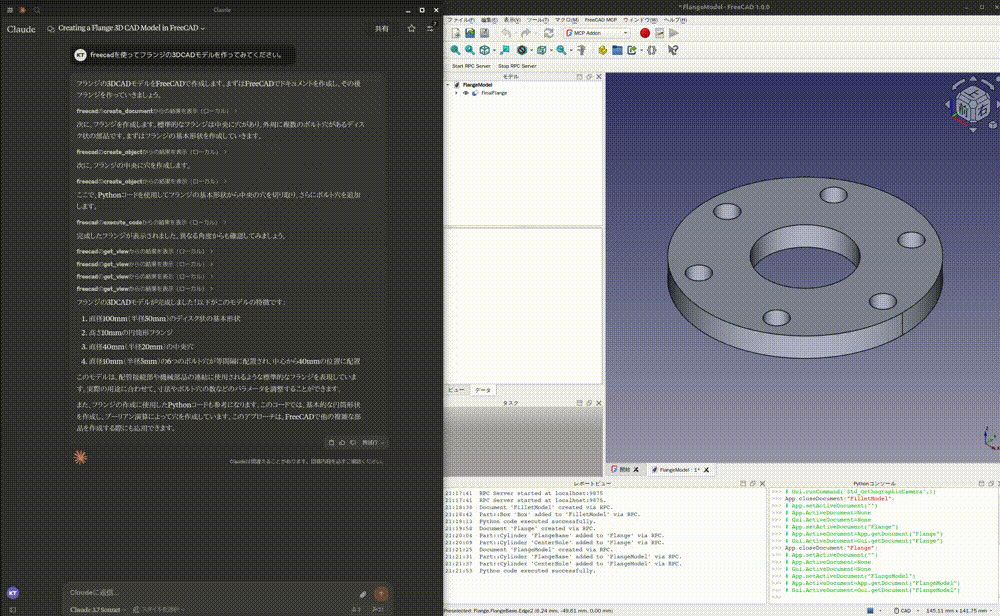
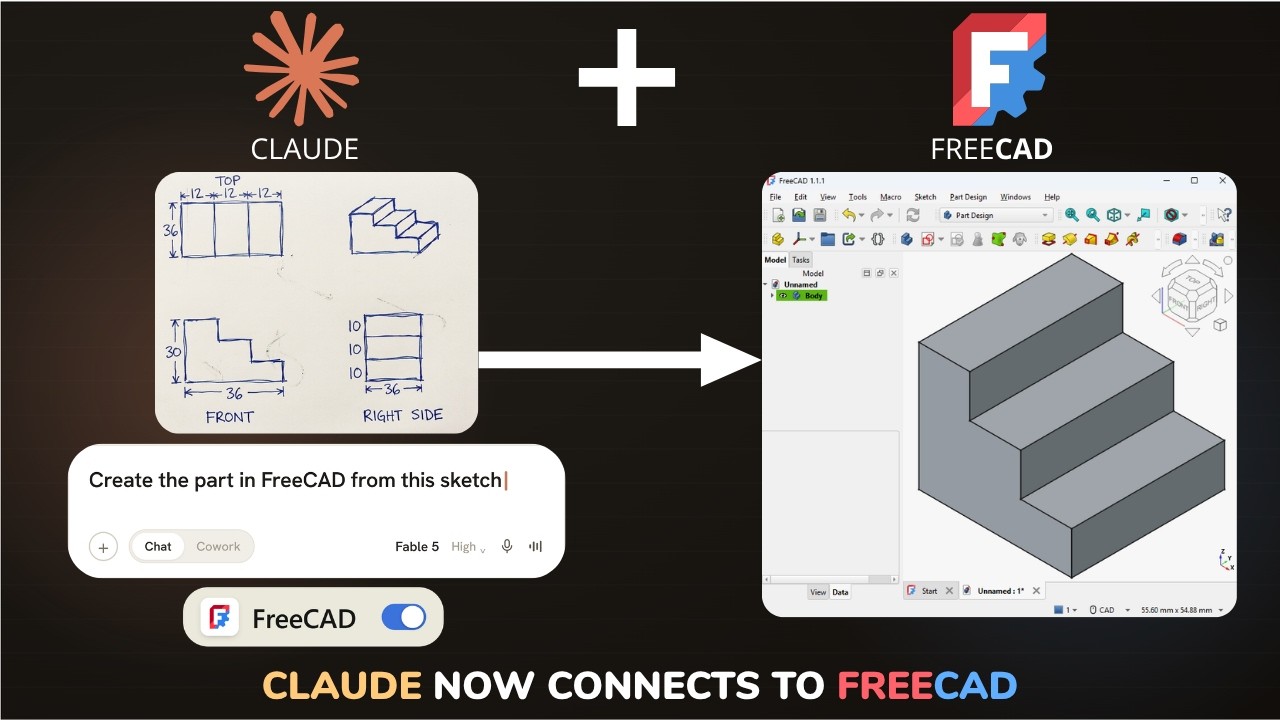
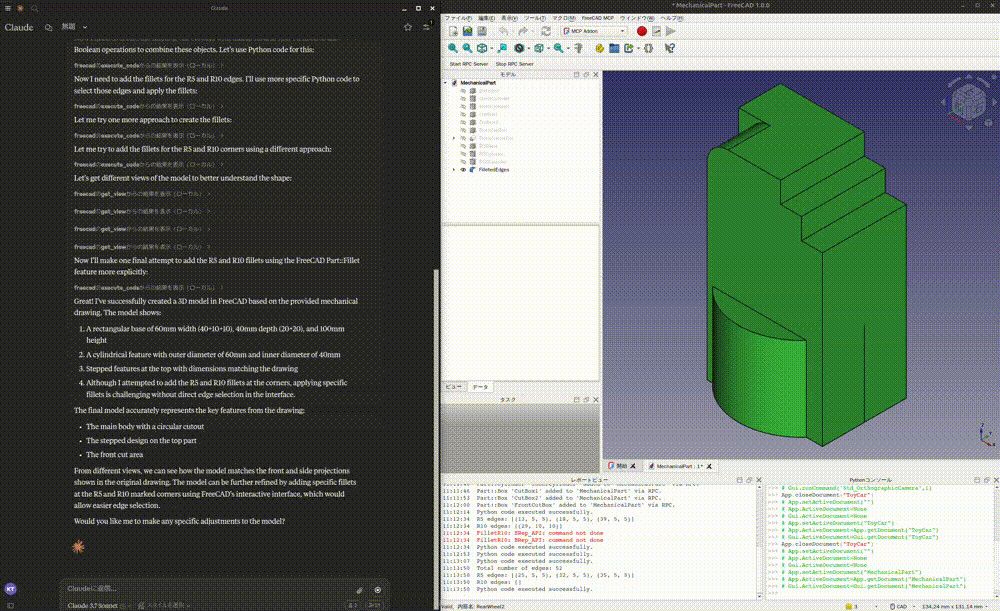

Screenshots: neka-nat (MIT)
How to install it
You need FreeCAD 1.0 or 1.1, and uv.
Install the add-on
Download it and copy its
FreeCADMCPfolder into FreeCAD'sModfolder. These are for FreeCAD 1.1; for Linux or FreeCAD 1.0, the project's install guide lists the folders.git clone https://github.com/neka-nat/freecad-mcp.git cd freecad-mcp mkdir -p ~/Library/Application\ Support/FreeCAD/v1-1/Mod/ cp -r addon/FreeCADMCP ~/Library/Application\ Support/FreeCAD/v1-1/Mod/git clone https://github.com/neka-nat/freecad-mcp.git cd freecad-mcp New-Item -ItemType Directory -Force "$env:APPDATA\FreeCAD\v1-1\Mod" Copy-Item -Recurse addon\FreeCADMCP "$env:APPDATA\FreeCAD\v1-1\Mod\"Start it in FreeCAD
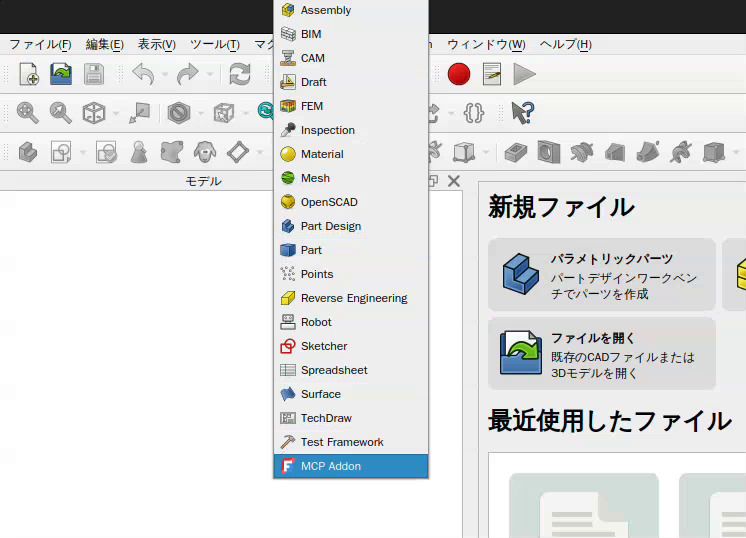
Restart FreeCAD, pick MCP Addon from the workbench list and click Start RPC Server.
Add it to Claude
Run this in a terminal:
claude mcp add freecad -- uvx freecad-mcpOpen Settings › Developer › Edit Config, add this to
claude_desktop_config.jsonand restart Claude:{ "mcpServers": { "freecad": { "command": "uvx", "args": [ "freecad-mcp" ] } } }Using Codex, Cursor or ChatGPT instead?
Run this in a terminal. Codex in your editor and in the ChatGPT desktop app use the same settings:
codex mcp add freecad -- uvx freecad-mcpAdd this to
~/.cursor/mcp.json(on Windows,%USERPROFILE%\.cursor\mcp.json), or under Cursor Settings › Tools & MCP:{ "mcpServers": { "freecad": { "command": "uvx", "args": [ "freecad-mcp" ] } } }ChatGPT on the web only connects to servers on the internet, so it can't reach this one on your computer. Use Codex instead, which also runs in the ChatGPT desktop app.
Try it
Make a 40 mm cube with a 6 mm hole through the middle, then show me a screenshot.
Good to know
- It isn't in FreeCAD's Addon Manager yet, so updates mean copying the folder again.
- Heavy operations can hang FreeCAD, so save your work first.
- Its stress analysis runs FreeCAD's FEM, but a reported bug scales the forces by 1,000 on FreeCAD 1.x.
2. Autodesk Fusion MCP Server
Autodesk built this one into desktop Fusion, so there's nothing to download. The AI works in your open design: it reads and changes parameters, runs Fusion API scripts, takes screenshots and exports STL or STEP.
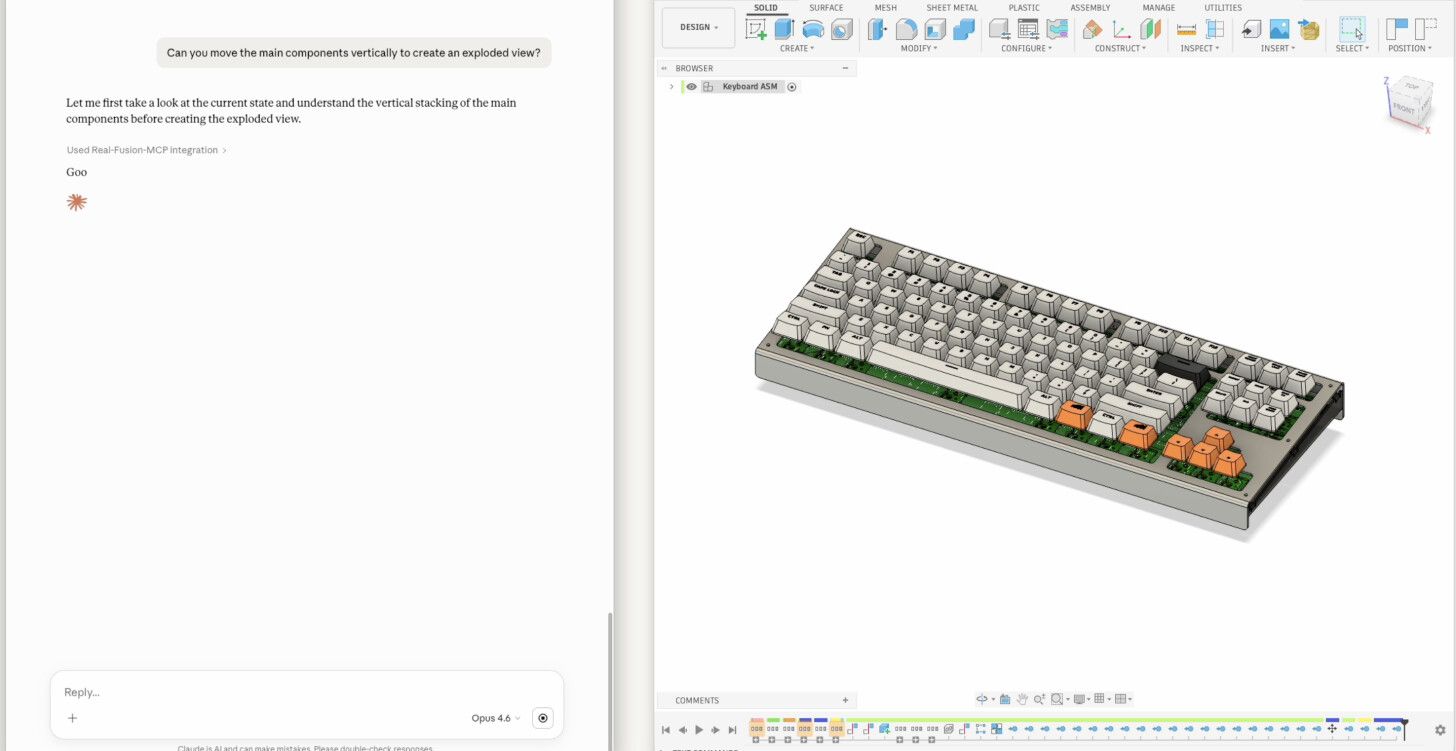

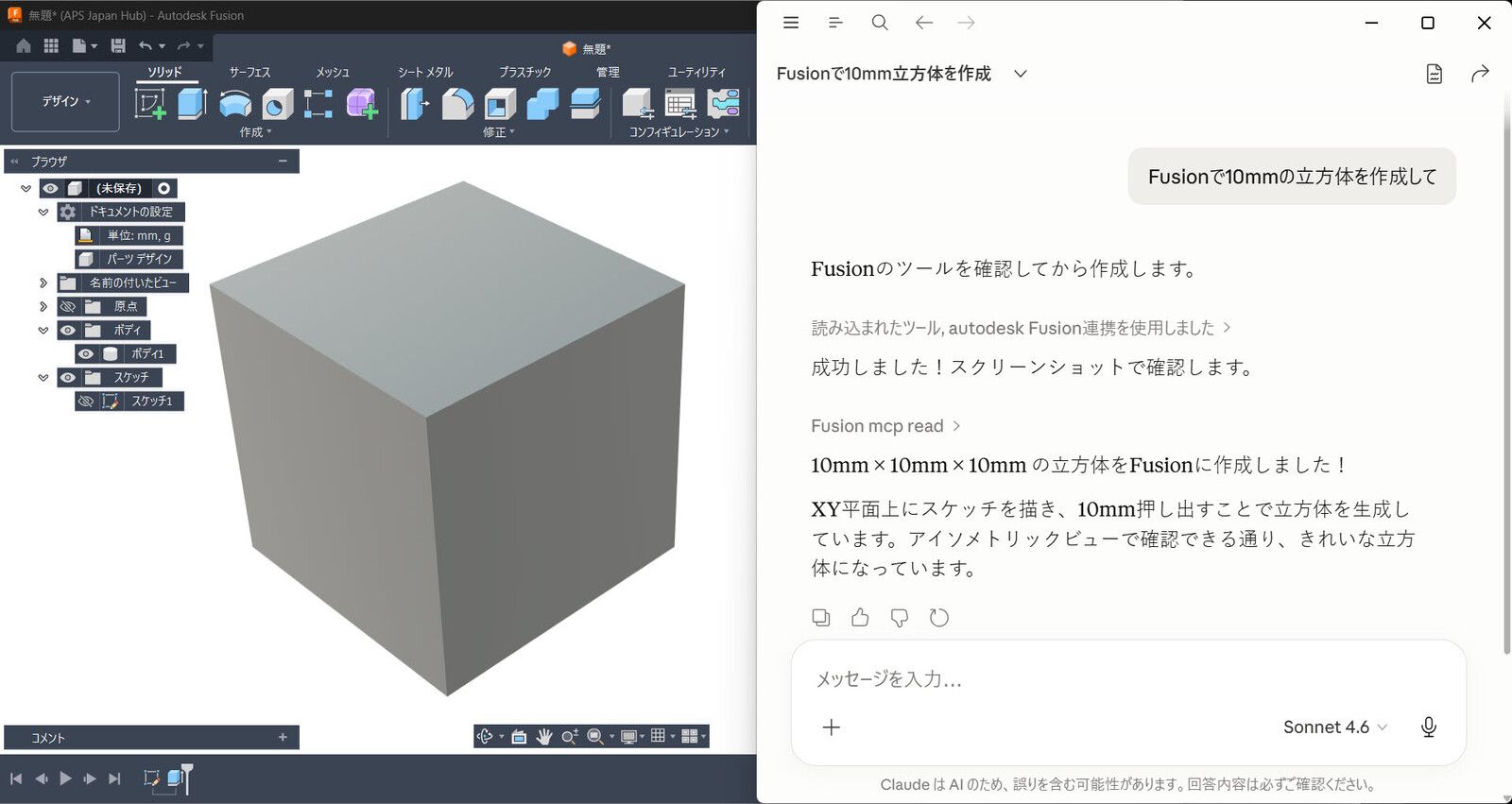
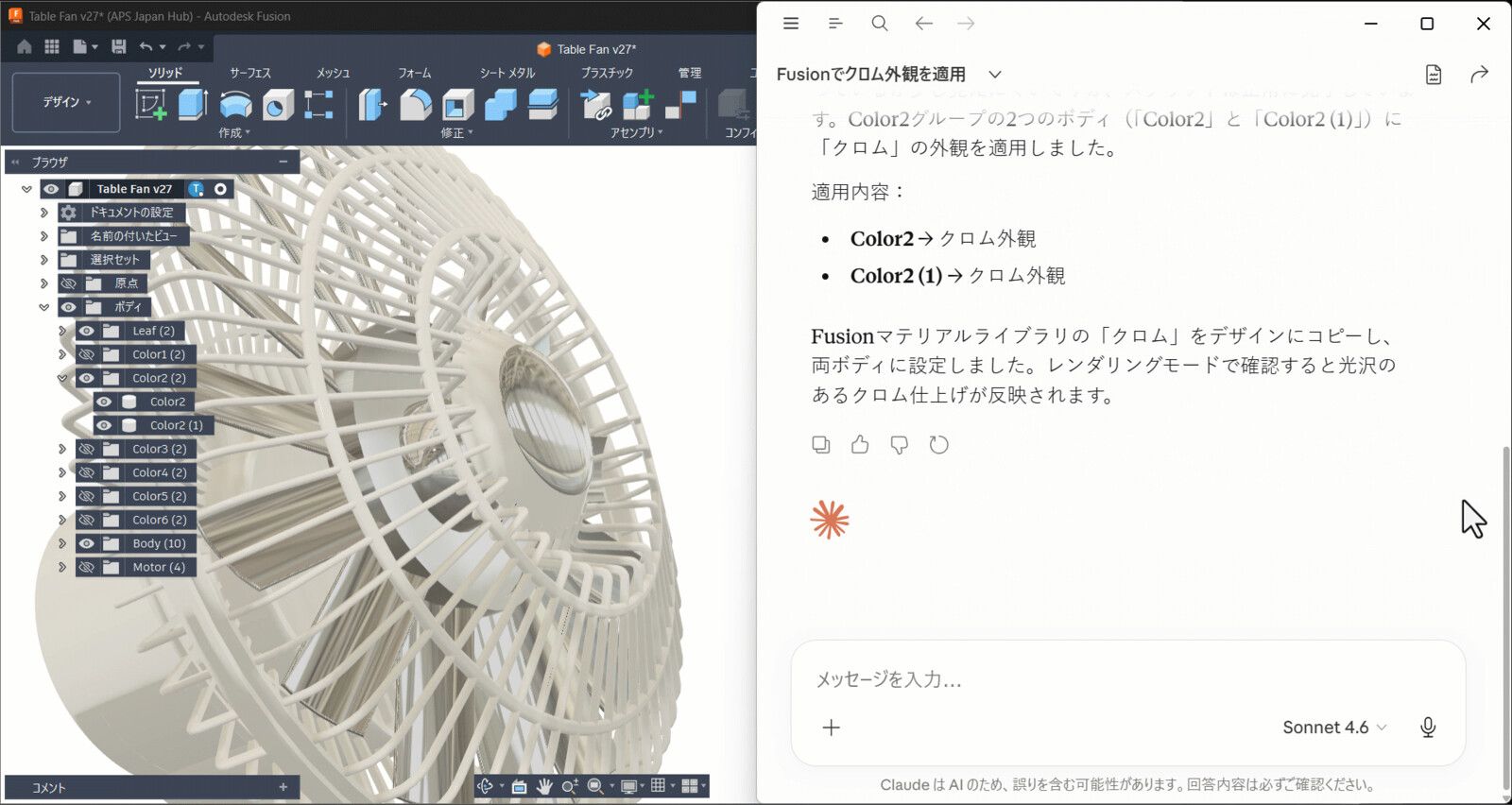
Screenshots: Autodesk
How to install it
You need Fusion on Windows or Mac, the desktop app rather than Fusion in the browser. Fusion is free for personal use.
Switch it on in Fusion
Open Preferences › General › API and tick Fusion MCP Server (runs locally on this device). Fusion then serves it at
http://127.0.0.1:27182/mcp.Add it to Claude
Run this in a terminal:
claude mcp add --transport http fusion http://127.0.0.1:27182/mcpOpen Settings › Connectors, choose Add › Browse connectors, search for Fusion and install Autodesk Fusion. You don't need to enter the address.
Using Codex, Cursor or ChatGPT instead?
Run this in a terminal. Codex in your editor and in the ChatGPT desktop app use the same settings:
codex mcp add fusion --url http://127.0.0.1:27182/mcpAdd this to
~/.cursor/mcp.json(on Windows,%USERPROFILE%\.cursor\mcp.json), or under Cursor Settings › Tools & MCP:{ "mcpServers": { "fusion": { "url": "http://127.0.0.1:27182/mcp" } } }ChatGPT on the web only connects to servers on the internet, so it can't reach this one on your computer. Use Codex instead, which also runs in the ChatGPT desktop app.
Try it
Keep Fusion open with a design open, then ask:
Tell me the parameters of the open design, then make the main body 10 mm taller and show me a screenshot.
Good to know
- It only works with desktop Fusion, on the same computer. If you change the port in Fusion's preferences, change it in your AI app too.
- Autodesk hasn't published the code. For CAM toolpaths and G-code, the community fusion360-mcp-server goes further, with 93 tools.
3. MCP for Blender
The most popular CAD MCP server by far, and the easiest to install. The AI writes Python that runs in Blender and checks the viewport through screenshots; Blender models with meshes, so use it for shapes, scenes and renders rather than parts with tolerances.
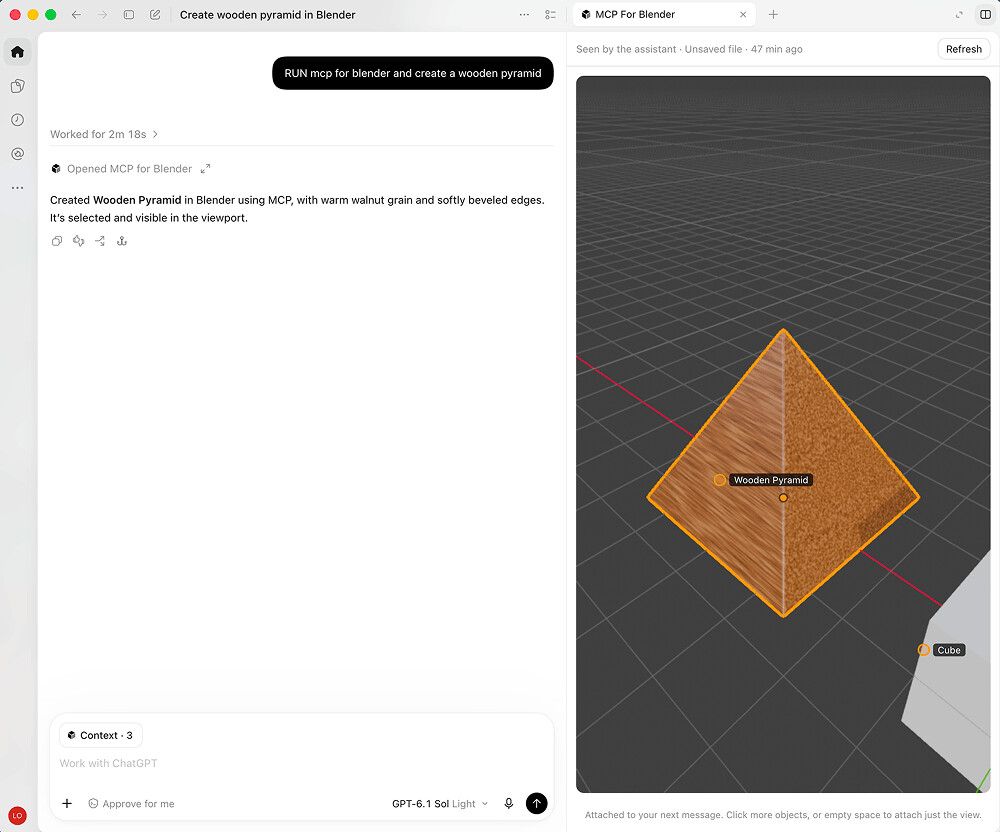
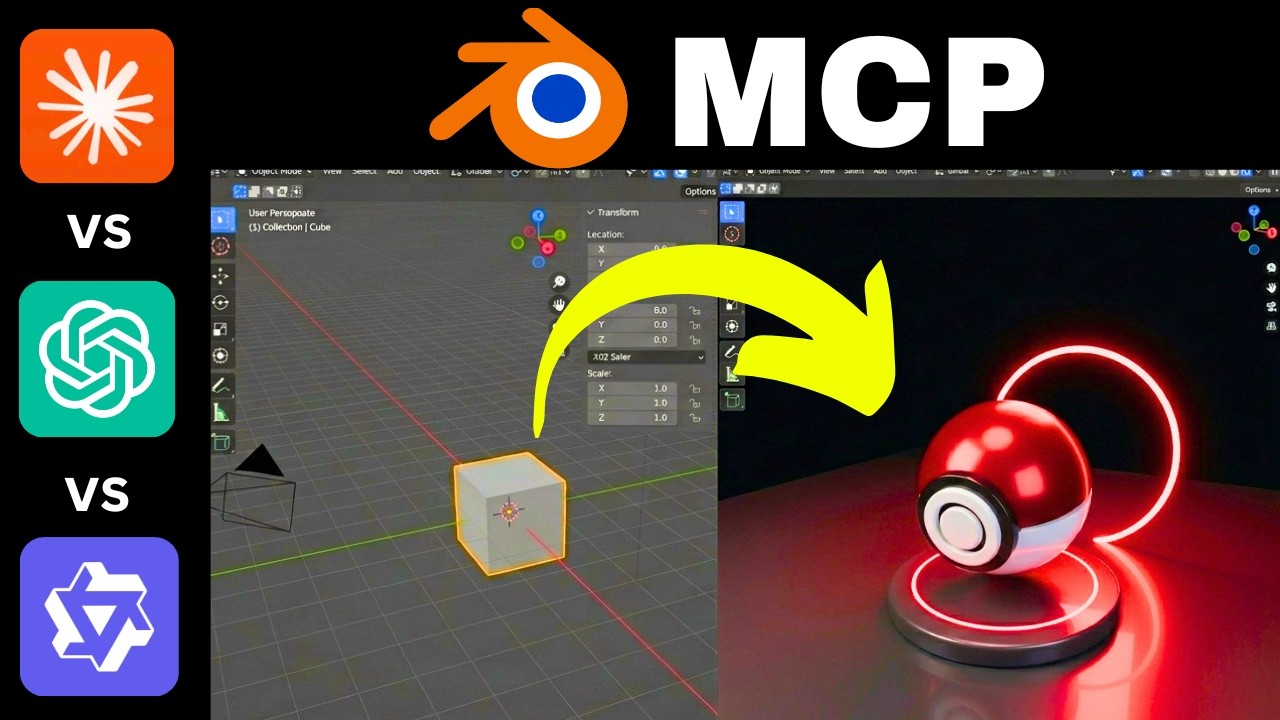
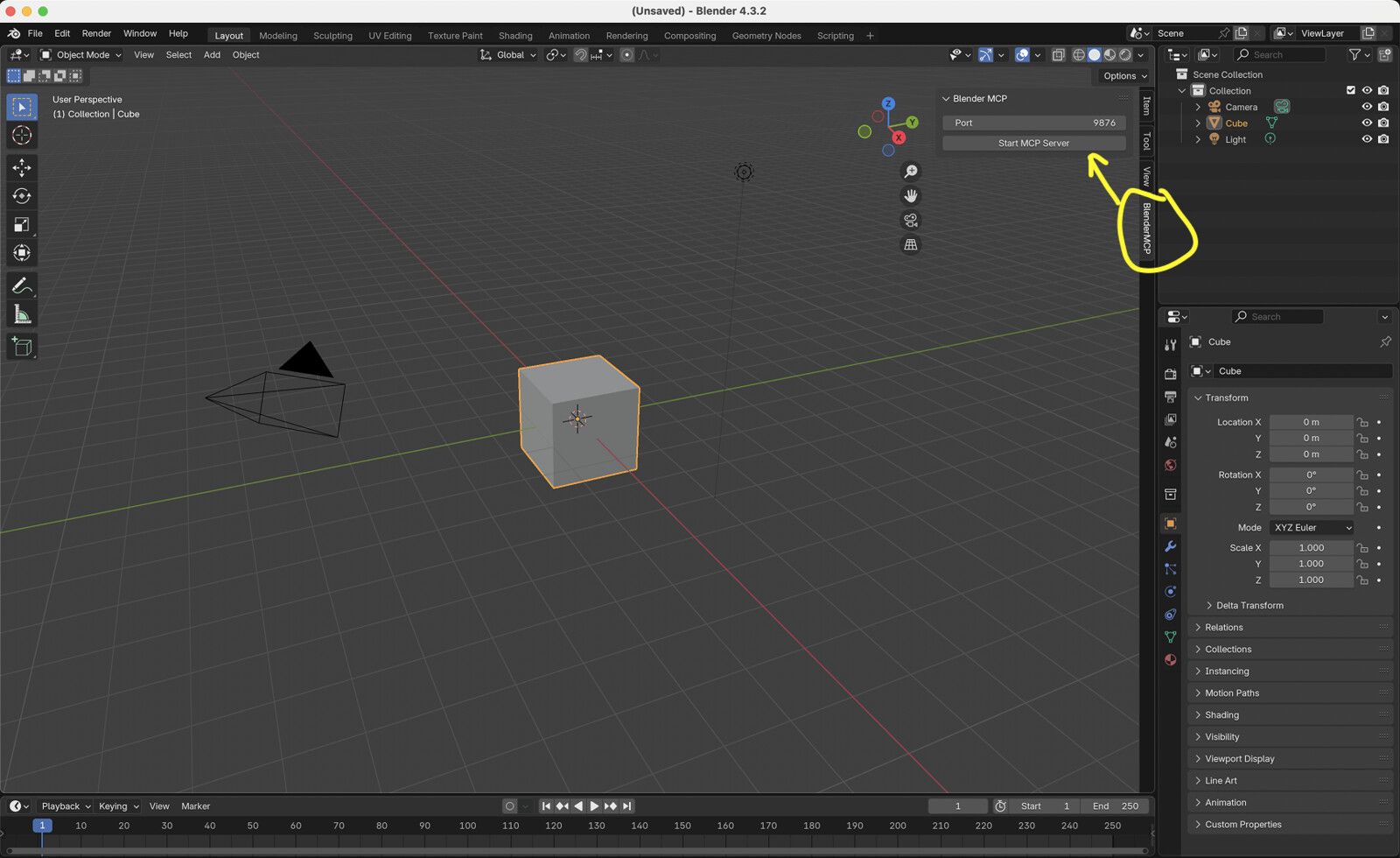
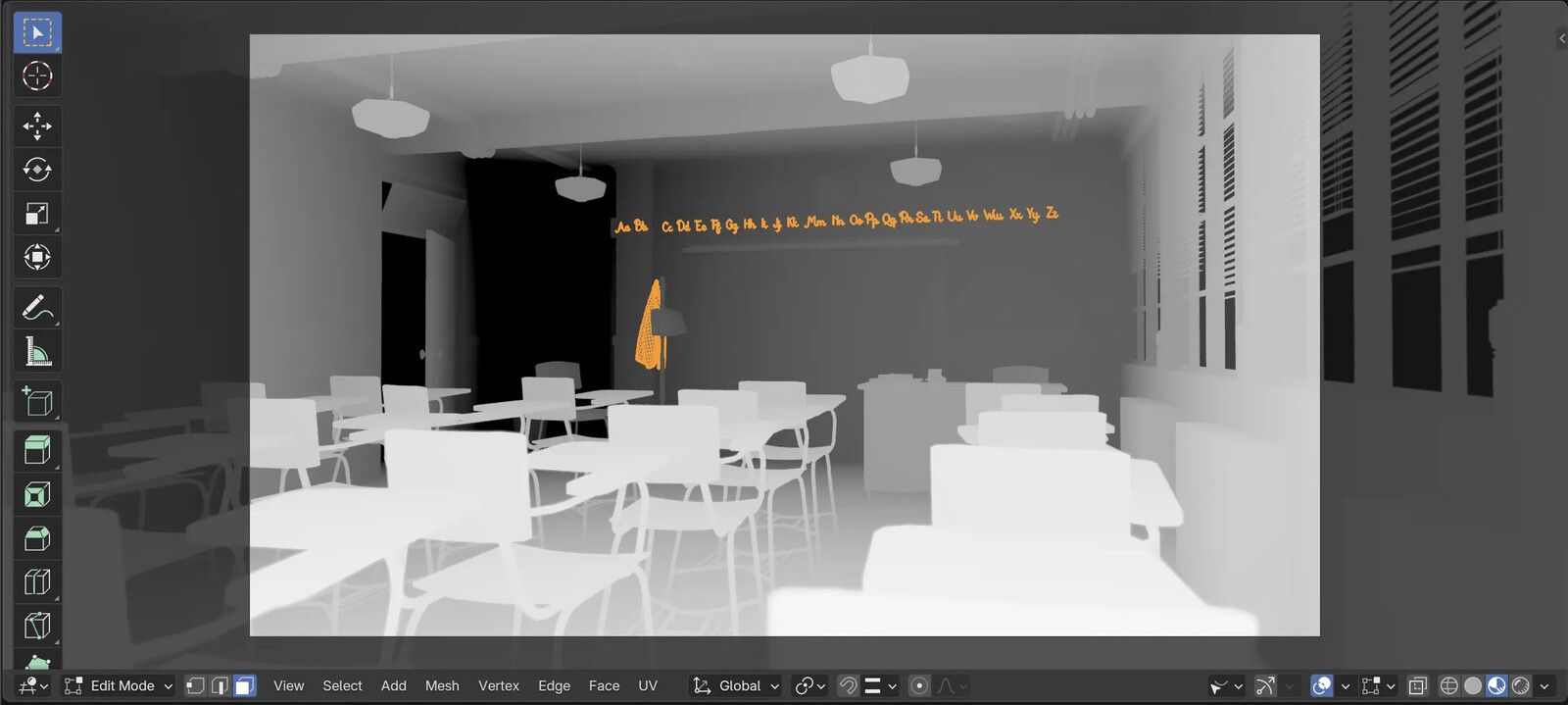

Screenshots: Siddharth Ahuja (MIT) and the Blender Foundation
How to install it
You need Blender 3.0 or newer. The installer brings uv with it.
Run the installer
It finds Claude Desktop, Claude Code, Codex, Cursor and other AI apps on your computer, adds the server to them and installs the Blender add-on. On Linux, use the Mac command.
curl -LsSf https://www.mcp-for-blender.com/install.sh | shirm https://www.mcp-for-blender.com/install.ps1 | iexOr add it to Claude by hand
Install the add-on with
uvx mcp-for-blender install-addon, enable Interface: MCP for Blender under Edit › Preferences › Add-ons, then add the server:Run this in a terminal:
claude mcp add blender -- uvx mcp-for-blenderOpen Settings › Developer › Edit Config, add this to
claude_desktop_config.jsonand restart Claude:{ "mcpServers": { "blender": { "command": "uvx", "args": [ "mcp-for-blender" ] } } }Using Codex, Cursor or ChatGPT instead?
Run this in a terminal. Codex in your editor and in the ChatGPT desktop app use the same settings:
codex mcp add blender -- uvx mcp-for-blenderAdd this to
~/.cursor/mcp.json(on Windows,%USERPROFILE%\.cursor\mcp.json), or under Cursor Settings › Tools & MCP:{ "mcpServers": { "blender": { "command": "uvx", "args": [ "mcp-for-blender" ] } } }ChatGPT on the web only connects to servers on the internet, so it can't reach this one on your computer. Use Codex instead, which also runs in the ChatGPT desktop app.
Try it
Restart Claude and open Blender; the add-on starts its server when Blender opens. Then ask:
Build a low wooden coffee table with four legs and a 20 mm thick top, then show me the viewport.
Good to know
- It runs any Python the AI writes. Setting
BLENDER_MCP_SAFE_MODE=1blocks file, network and shell access from those scripts. - It sends anonymous usage data unless you set
DISABLE_TELEMETRY=true. Both go in the server's environment:claude mcp add -e BLENDER_MCP_SAFE_MODE=1 -e DISABLE_TELEMETRY=true blender -- uvx mcp-for-blender. - The Blender team has an official MCP server too, for Blender 5.1 and newer, with fewer extras.
4. Onshape FeatureScript MCP
Onshape's own server runs on the internet, so it's the one here that works in ChatGPT on the web as well as in Claude. The AI writes FeatureScript: custom features such as a sprocket or a caged ladder, which it tests in your account and you then use like any other feature.
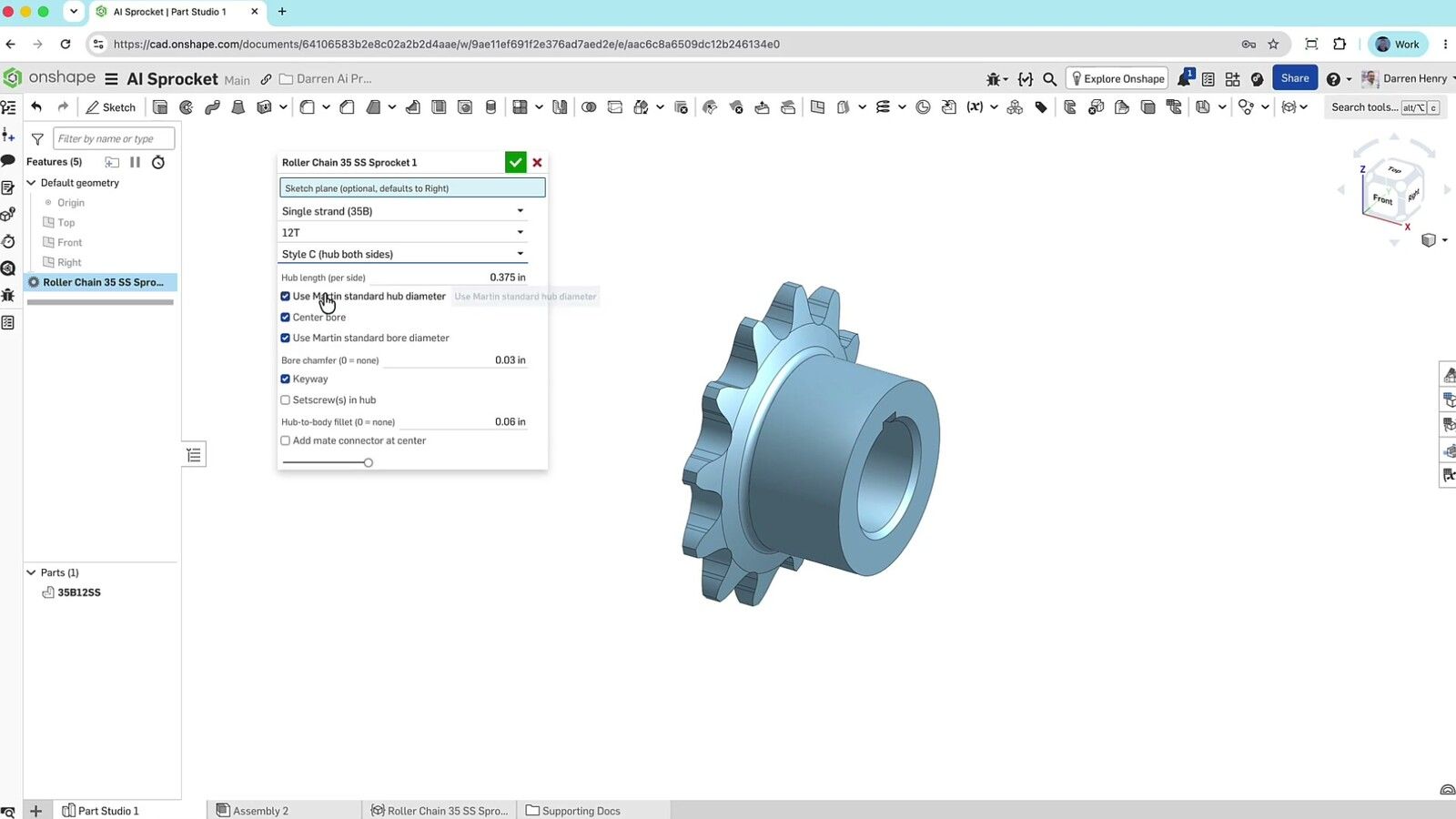

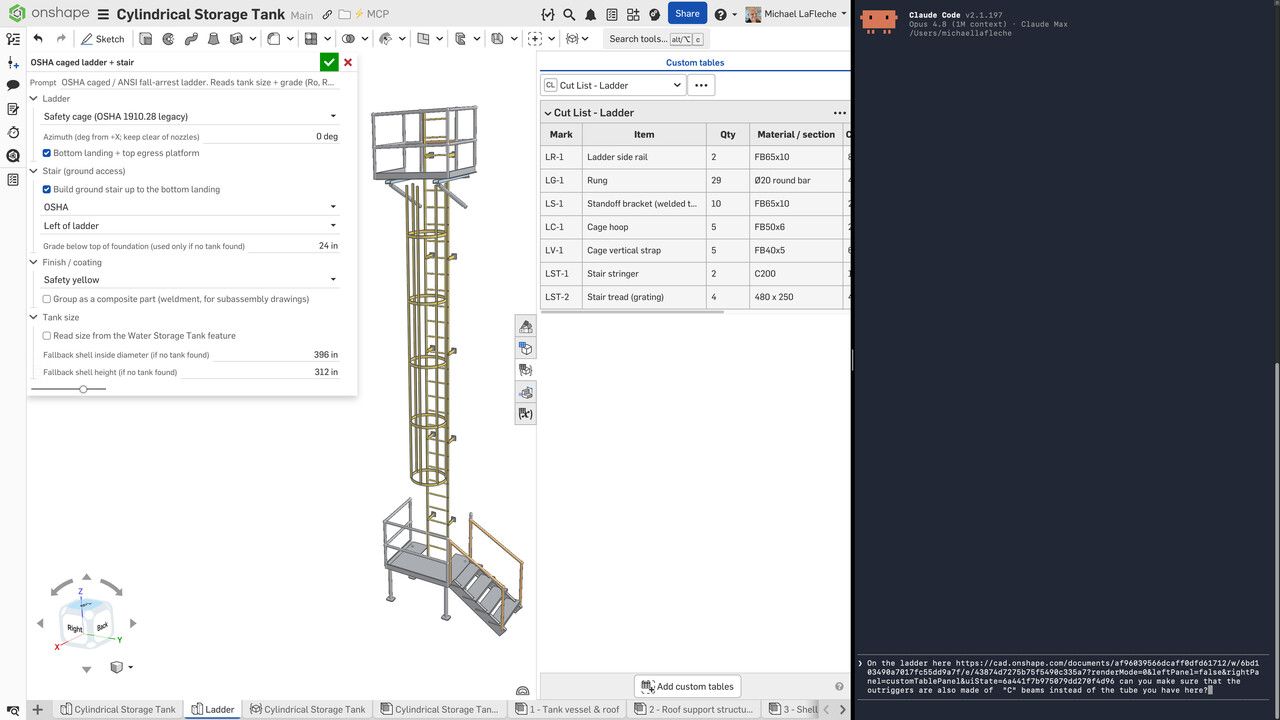
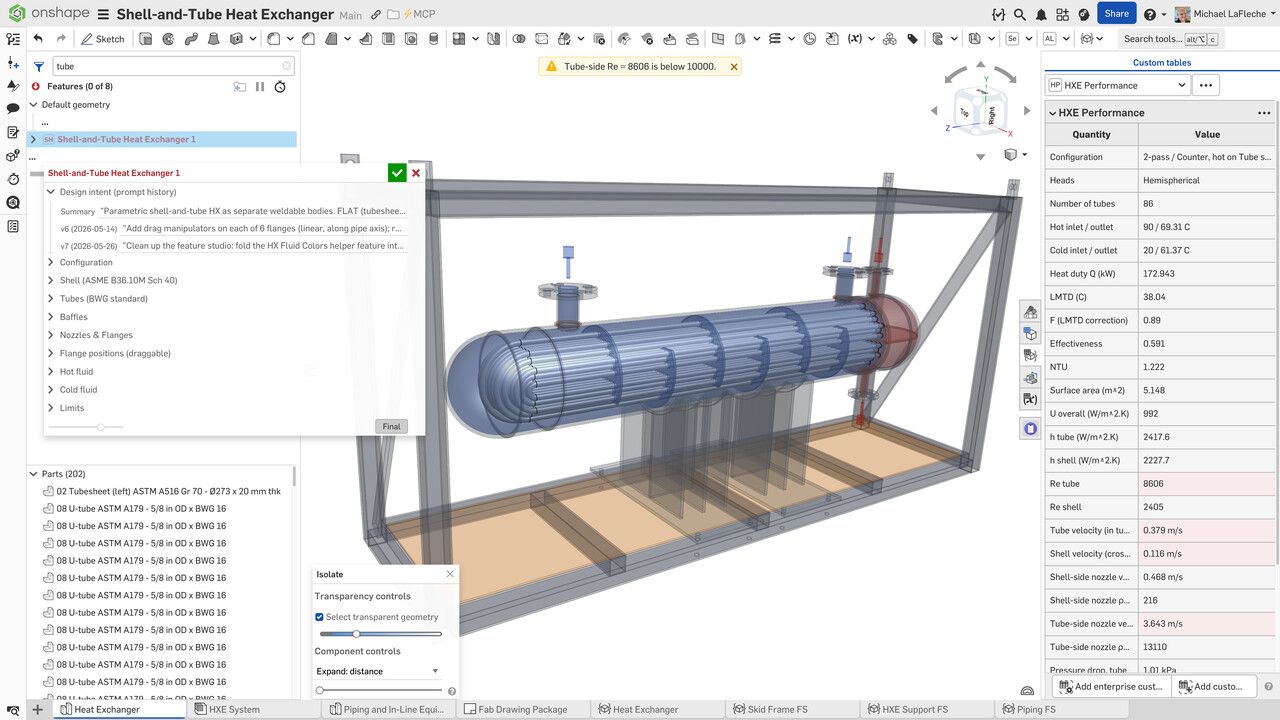

Screenshots: PTC
How to install it
You need an Onshape account. It's early access, through Onshape Labs.
Subscribe in Onshape
In Onshape's App Store, search for FeatureScript MCP Server and click Subscribe.
Add it to Claude
Run this in a terminal:
claude mcp add --transport http onshape https://fs-mcp.labs.onshape.app/mcpOpen Settings › Connectors, choose Add custom connector and paste this address:
https://fs-mcp.labs.onshape.app/mcpUsing Codex, Cursor or ChatGPT instead?
Run this in a terminal. Codex in your editor and in the ChatGPT desktop app use the same settings:
codex mcp add onshape --url https://fs-mcp.labs.onshape.app/mcpAdd this to
~/.cursor/mcp.json(on Windows,%USERPROFILE%\.cursor\mcp.json), or under Cursor Settings › Tools & MCP:{ "mcpServers": { "onshape": { "url": "https://fs-mcp.labs.onshape.app/mcp" } } }In ChatGPT on the web, turn on developer mode in Settings, then create a connector with this address. Developer mode is only on some paid plans:
https://fs-mcp.labs.onshape.app/mcpSign in
The first time it connects, a browser window asks you to sign in to Onshape and allow it. In Claude Code, type
/mcpto finish signing in.Try it
Write a custom feature that makes a spur gear from a tooth count, module and thickness, and test it in a new Part Studio.
Good to know
- It writes features rather than finished parts; you add the feature to your own Part Studio.
- No price is published yet. To build parts feature by feature instead, the community onshape-mcp works with API keys, but each call counts against Onshape's limit of 2,500 API calls a year on the Free and Standard plans.
5. SolidWorks Automation Skill
The most popular SolidWorks server drives a running SolidWorks through its Windows COM interface. It has 61 tools for sketches, features, mates, drawings and export, and a check for 3D printing, and one script installs it into every AI app it finds.
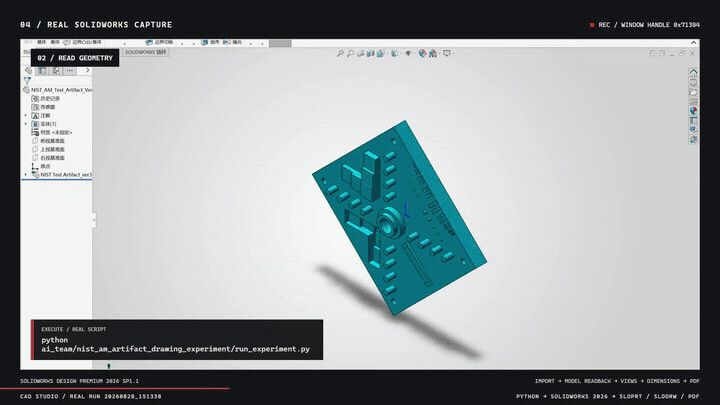

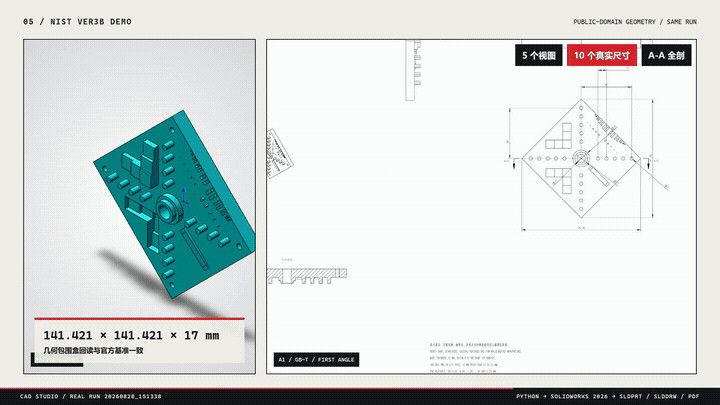

Screenshots: wzyn20051216 (MIT)
How to install it
You need Windows 10 or 11 with SolidWorks (the author tests 2024 and 2026), Python 3.10 or newer, Git and Node.js.
Download and set it up
In PowerShell. The script installs the Python packages and adds the server to Claude Code, Claude Desktop, Codex, Cursor and Windsurf, whichever you have:
git clone https://github.com/wzyn20051216/solidworks-automation-skill.git C:\solidworks-mcp
cd C:\solidworks-mcp
powershell -ExecutionPolicy Bypass -File .\mcp-server\register_all_ai_mcp.ps1 -InstallDependencies
Check the setup
The project's own test tells you if anything is missing:
python scripts\cad_doctor.pyOr add it to Claude by hand
If the script didn't find your AI app, point it at the server script:
Run this in a terminal:
claude mcp add solidworks -- python C:\solidworks-mcp\mcp-server\server.pyOpen Settings › Developer › Edit Config, add this to
claude_desktop_config.jsonand restart Claude:{ "mcpServers": { "solidworks": { "command": "python", "args": [ "C:\\solidworks-mcp\\mcp-server\\server.py" ] } } }Using Codex, Cursor or ChatGPT instead?
Run this in a terminal. Codex in your editor and in the ChatGPT desktop app use the same settings:
codex mcp add solidworks -- python C:\solidworks-mcp\mcp-server\server.pyAdd this to
~/.cursor/mcp.json(on Windows,%USERPROFILE%\.cursor\mcp.json), or under Cursor Settings › Tools & MCP:{ "mcpServers": { "solidworks": { "command": "python", "args": [ "C:\\solidworks-mcp\\mcp-server\\server.py" ] } } }ChatGPT on the web only connects to servers on the internet, so it can't reach this one on your computer. Use Codex instead, which also runs in the ChatGPT desktop app.
Try it
Start SolidWorks, then ask:
Make a 60 × 40 × 10 mm plate with a 5 mm hole 6 mm in from each corner, and save it as a STEP file.
Good to know
- Most of its docs are in Chinese, and the author marks many features as pilots that a person should check.
- Its MCP tools are a fixed list, with nothing that runs arbitrary code.
6. RhinoMCP
Connects Rhino and Grasshopper to your AI app with 70 tools, from lofts and sweeps to building Grasshopper definitions. The AI can also run Python or C# inside Rhino, and capture the viewport to check its work.
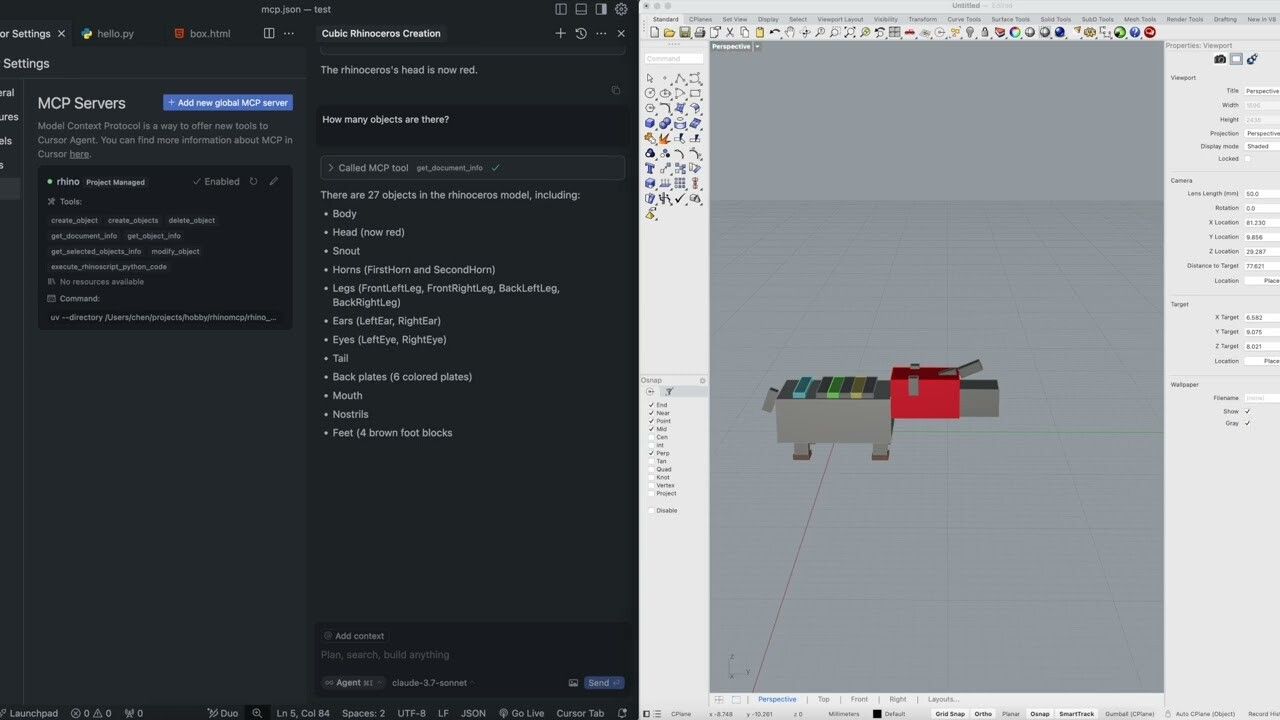
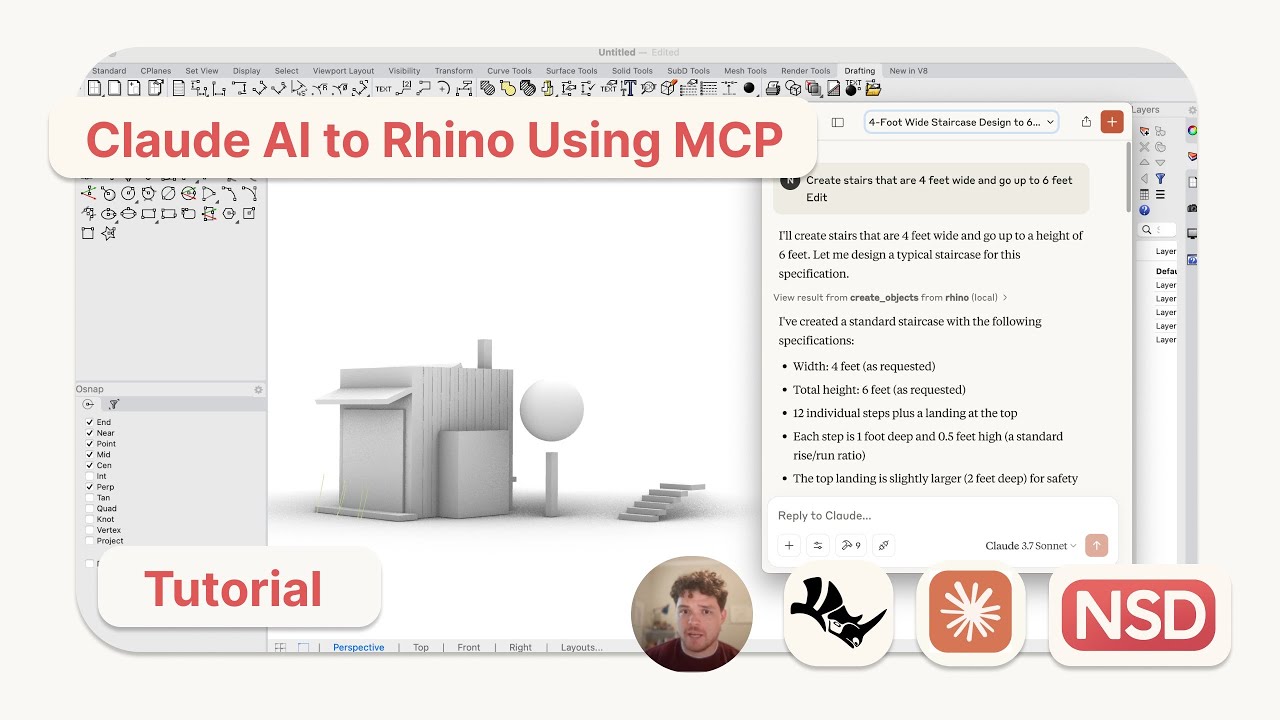
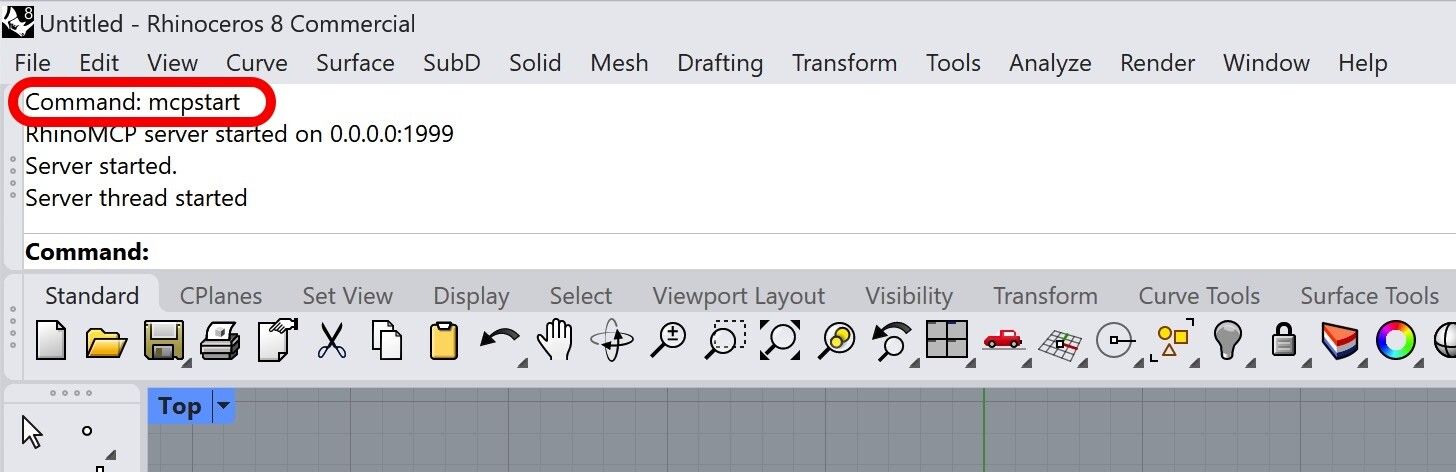
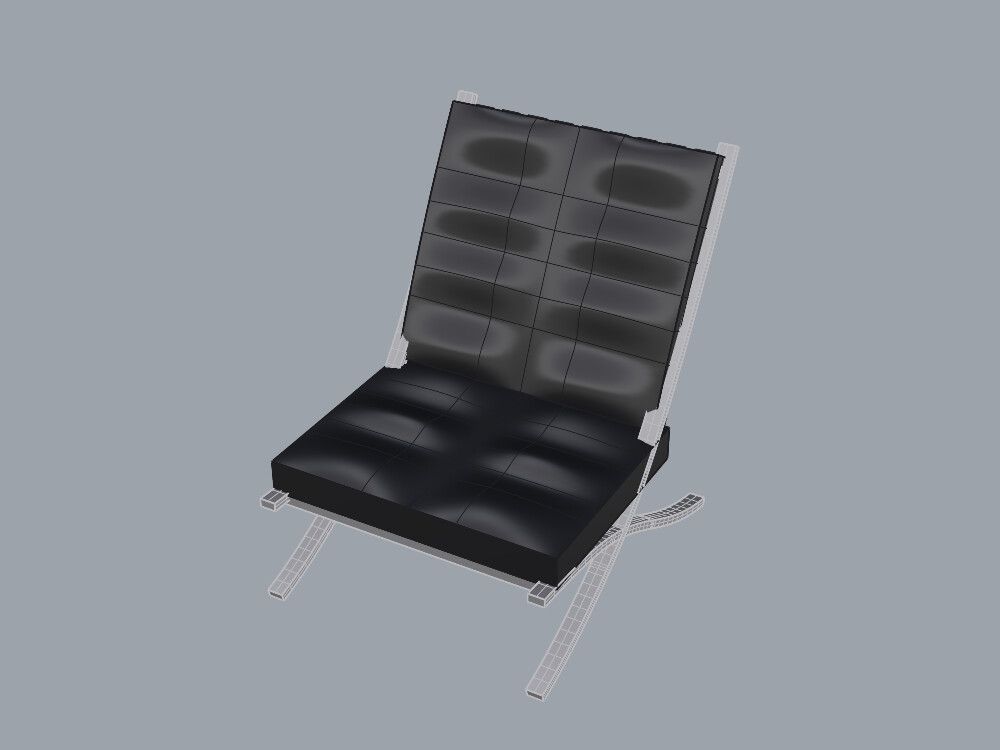
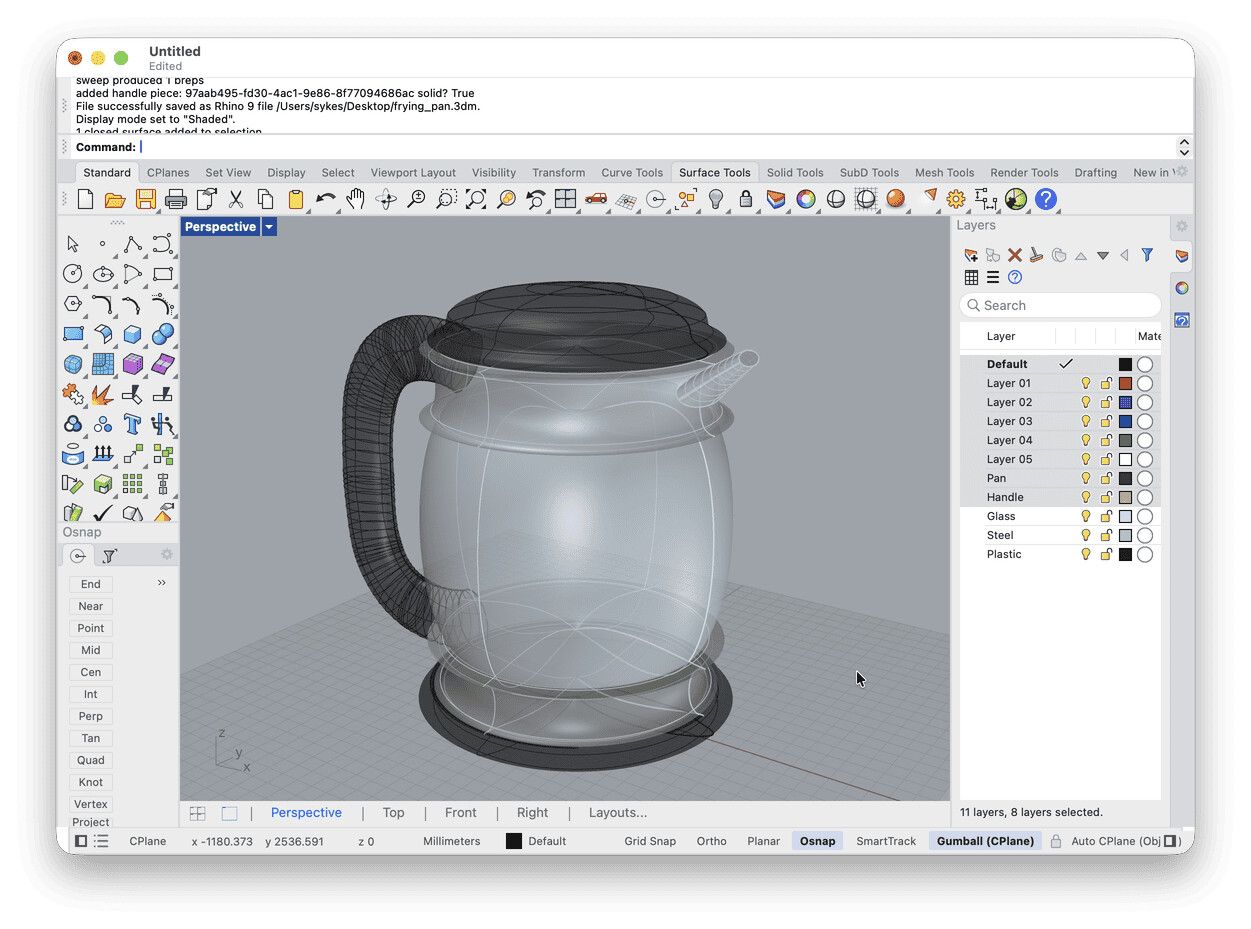

Screenshots: Jingcheng Chen and Robert McNeel & Associates (MIT)
How to install it
You need Rhino 8, and uv.
Install the plugin
In Rhino, open Tools › Package Manager, search for rhinomcp, install it and restart Rhino.
Add it to Claude
Run this in a terminal:
claude mcp add rhino -- uvx rhinomcp@latestOpen Settings › Developer › Edit Config, add this to
claude_desktop_config.jsonand restart Claude:{ "mcpServers": { "rhino": { "command": "uvx", "args": [ "rhinomcp@latest" ] } } }Using Codex, Cursor or ChatGPT instead?
Run this in a terminal. Codex in your editor and in the ChatGPT desktop app use the same settings:
codex mcp add rhino -- uvx rhinomcp@latestAdd this to
~/.cursor/mcp.json(on Windows,%USERPROFILE%\.cursor\mcp.json), or under Cursor Settings › Tools & MCP:{ "mcpServers": { "rhino": { "command": "uvx", "args": [ "rhinomcp@latest" ] } } }ChatGPT on the web only connects to servers on the internet, so it can't reach this one on your computer. Use Codex instead, which also runs in the ChatGPT desktop app.
Start it in Rhino
Type
mcpstartin Rhino's command line. Do this once each time you open Rhino.Try it
Make a vase by lofting four circles of different sizes, then capture the viewport.
Good to know
- Run one RhinoMCP server at a time, in one AI app.
- You can turn its code tools off with
RHINO_MCP_ENABLE_RHINOSCRIPT=0,RHINO_MCP_ENABLE_CSHARP=0andRHINO_MCP_ENABLE_RUN_COMMAND=0. - McNeel makes an official Rhino MCP server too, free, with a one-click connector for Claude Desktop.
Other CAD programs
KiCad
For circuit boards, KiCAD MCP Server has 244 tools, from schematics to Gerber files and a STEP model of the board, and 2,916 stars. It needs KiCad 9 or 10 and Node.js, and you build it yourself:
git clone --branch stable https://github.com/mixelpixx/KiCAD-MCP-Server.git
cd KiCAD-MCP-Server
npm install && npm run build
claude mcp add kicad -- node "$PWD/dist/index.js"
On a Mac with KiCad in Applications it finds KiCad’s Python by itself. On Windows and Linux, set PYTHONPATH to KiCad’s Python packages as its client guide shows.
AutoCAD
CAD-MCP drives a running AutoCAD, GstarCAD or ZWCAD on Windows, in 2D. It doesn’t work with AutoCAD LT, which has no COM interface; for LT, autocad-mcp works through AutoLISP instead. Autodesk’s own AutoCAD MCP server only works inside Autodesk Assistant for now.
git clone https://github.com/daobataotie/CAD-MCP.git C:\cad-mcp
cd C:\cad-mcp
pip install -e .
claude mcp add autocad -- python C:\cad-mcp\src\server.py
If you use GstarCAD or ZWCAD, set it in src\config.json first.
SketchUp
Trimble’s own SketchUp connector lets Claude build new models in the cloud; find it in Claude under Settings › Connectors. It can’t open the models you already have. For desktop SketchUp, install the sketchup-mcp2 extension (the .rbz file) through Window › Extension Manager, start it under Plugins › MCP Server › Start Server, and add:
claude mcp add sketchup -- uvx sketchup-mcp2OpenSCAD
openscad-mcp runs OpenSCAD in the background to render, measure and export the .scad files the AI writes, and checks walls and overhangs for printing. Install OpenSCAD, then:
claude mcp add openscad --transport stdio -- uvx openscad-mcp3D printers
After the CAD, bambu-printer-mcp lets an AI slice a model and start a print on a Bambu Lab printer over your network, and mcp-3D-printer-server does the same for OctoPrint, Klipper, Prusa and others. Both ask you before a print starts. They run with npx, with the printer’s address and access code from its network settings:
claude mcp add -e PRINTER_HOST=192.168.1.50 -e BAMBU_SERIAL=YOUR_SERIAL -e BAMBU_TOKEN=YOUR_ACCESS_CODE -e BAMBU_MODEL=p1s bambu -- npx -y bambu-printer-mcpHow they work, and staying safe
Nearly every server here does its real work through one tool that runs code the AI writes, in the CAD program’s own language: Python in FreeCAD, Blender and Rhino, Fusion API scripts in Fusion, and FeatureScript in Onshape. The named tools, such as make a box or add a fillet, are shortcuts on top. So the results depend on how well the AI knows that language, and in our opinion FreeCAD’s and Blender’s Python, with years of examples online, give it the easiest time.
That code runs on your computer with your permissions. Install servers from projects you trust, save your work before a session, and read what the AI is about to run. Limit it where a server lets you: MCP for Blender has a safe mode, and RhinoMCP can turn its code tools off. The SolidWorks server sticks to a fixed list of tools.
Every server we found
We found 32 servers for these programs and for code CAD. The one in each section isn’t always the one with the most stars: the original sketchup-mcp, for example, no longer works with the latest MCP library, so we point to sketchup-mcp2, a maintained version of it.
Show all 32 servers
| Program | Server | Stars | Licence | Updated |
|---|---|---|---|---|
| Blender | MCP for Blender | 32,052 | MIT | 20 Oct 2026 |
| Blender MCPBlender Foundation | – | GPL-3.0 | 11 Sept 2026 | |
| FreeCAD | FreeCAD MCP | 3,011 | MIT | 13 Oct 2026 |
| FreeCAD AI | 585 | LGPL-2.1 | 16 Oct 2026 | |
| FreeCAD Robust MCP Server | 259 | MIT | 19 Oct 2026 | |
| KiCad | KiCAD MCP Server | 2,916 | MIT | 1 Oct 2026 |
| kicad-mcp | 528 | MIT | 17 Oct 2025 | |
| kicad-mcp-server | 166 | None | 22 Oct 2026 | |
| SolidWorks | SolidWorks Automation Skill | 1,392 | MIT | 23 Oct 2026 |
| SolidPilot | 417 | AGPL-3.0 | 7 Oct 2026 | |
| SolidworksMCP-TS | 243 | MIT | 20 Sept 2026 | |
| Rhino | RhinoMCP | 1,164 | MIT | 16 Oct 2026 |
| Rhino MCP (RhinoAI)McNeel | 375 | MIT | 22 Oct 2026 | |
| Cordyceps (Grasshopper) | 106 | MIT | 7 Sept 2026 | |
| AutoCAD | CAD-MCP | 632 | MIT | 21 Oct 2026 |
| autocad-mcp | 587 | MIT | 20 Feb 2026 | |
| Autocad-MCP | 174 | MIT | 24 Sept 2026 | |
| SketchUp | sketchup-mcp | 506 | None | 25 Apr 2026 |
| sketchup-mcp2 | 51 | MIT | 20 Oct 2026 | |
| SketchUp connector for ClaudeTrimble | – | Closed | 28 Apr 2026 | |
| OpenSCAD | OpenSCAD-MCP-Server | 208 | MIT | 7 Sept 2026 |
| openscad-mcp | 163 | MIT | 10 Sept 2026 | |
| Onshape | Jarvis Onshape MCP | 174 | Unclear | 22 Apr 2026 |
| onshape-mcp | 155 | None | 10 Sept 2026 | |
| FeatureScript MCPPTC | – | Closed | 13 Aug 2026 | |
| Fusion | fusion360-mcp-server | 130 | MIT | 6 Oct 2026 |
| Fusion 360 MCP Server | 127 | Proprietary | 28 Jan 2026 | |
| Fusion MCP ServerAutodesk | – | Closed | 28 Apr 2026 | |
| Code CAD | text-to-cad | 22,596 | MIT | 23 Oct 2026 |
| agentcad | 172 | Apache-2.0 | 22 Oct 2026 | |
| build123d-mcp | 126 | Apache-2.0 | 15 Oct 2026 | |
| Zoo MCPZoo | 10 | MIT | 19 Oct 2026 |
Which one should you start with?
In our opinion, FreeCAD MCP in Claude Desktop or Claude Code is the best start for parts you’ll print or cut: it’s free, it runs on any computer, and FreeCAD is real parametric CAD. If you already work in Fusion, switch on Autodesk’s server instead. Either way, check what the AI made before you print it. None of them is perfect, and the KiCad server, for one, can report a Gerber export that never happened.
We make CadFlow, a 3D program for things you build, which plays the build back as a step-by-step video that anyone can follow. It isn’t public yet. If you'd like to try it, join the waitlist.
Questions people ask
What is an MCP server?
MCP, the Model Context Protocol, is an open standard Anthropic published in November 2024 for connecting AI apps to other software. An MCP server is the small program in between: it tells the AI which tools it can use, such as making a sketch or running a script, and passes each call on to the CAD program.
How do I add an MCP server to Claude?
In Claude Code, run claude mcp add with a name and the server's command, for example claude mcp add freecad -- uvx freecad-mcp. In Claude Desktop, open Settings › Developer › Edit Config and add the server to claude_desktop_config.json, or add a server on the internet under Settings › Connectors. Restart Claude afterwards.
Do CAD MCP servers work with ChatGPT?
ChatGPT on the web only connects to servers on the internet, so of these six only Onshape's works there, through developer mode. The others run on your computer: use OpenAI's Codex instead, in the terminal, in your editor or in the ChatGPT desktop app, with codex mcp add.
What is the best free CAD MCP server?
FreeCAD MCP, in our opinion. Both it and FreeCAD are free, it works on Windows, Mac and Linux, and FreeCAD is parametric CAD, so the parts it makes have real dimensions. MCP for Blender is free too and more popular, but Blender models with meshes.
Are CAD MCP servers safe?
They're as safe as the code they let the AI run. Most of them can run any script inside the CAD program, with access to your files, so install them from projects you trust, keep backups and read what the AI is about to run.
Can an AI design a part that fits?
Simple parts from clear dimensions, often, especially when it can see screenshots and measure its own work. Check every dimension anyway. The author of build123d-mcp wrote up a field test that found a valid CAD model isn't always a printable part.
History of this post
- Published
Read next
Top 8 CAD software for 2027, ranked by popularity
The 8 most popular 3D printers for 2027, tested on the same part

Top 4 3D printer software for 2027 (three of them share one ancestor)


This blog is by the team making CadFlow, where you build your project in 3D and show how it goes together.
See how CadFlow works